If you use the internet every day, you have probably heard about computer viruses, ransomware, spyware, and other cyber threats. Among these threats, one of the most dangerous is Trojan malware. Many people ask, “what is trojan software” because they want to understand how it works, why it is dangerous, and how to protect their devices.
Unlike traditional computer viruses, Trojan software does not spread by infecting other files. Instead, it tricks people into installing it by pretending to be something safe or useful. Once installed, it can secretly steal personal information, monitor online activities, install additional malware, or even allow hackers to take complete control of a computer.
Cybercriminals continue to improve Trojan attacks every year. Modern Trojans are smarter, harder to detect, and capable of bypassing many basic security measures. They target individuals, businesses, schools, healthcare organizations, and government agencies around the world.
This complete guide explains everything you need to know about what is trojan software in simple language. Whether you are a beginner or someone who wants to improve cybersecurity knowledge, this article will help you understand Trojan malware, recognize warning signs, and keep your devices safe.
What Is Trojan Software?
The simplest answer to the question “what is trojan software” is that it is a type of malicious program that pretends to be legitimate software to trick users into installing it.
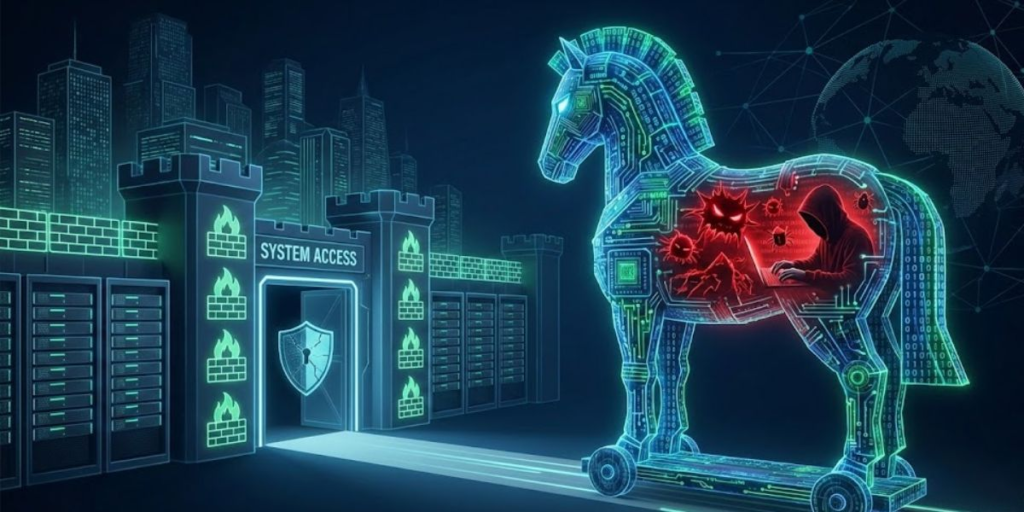
The name comes from the famous story of the Trojan Horse from ancient Greece. According to the legend, Greek soldiers hid inside a giant wooden horse that appeared to be a gift. Once the horse entered the city of Troy, the soldiers came out and attacked from within.
Trojan malware works in a very similar way. It looks like a useful file, game, application, email attachment, or software update. However, after installation, it secretly performs harmful actions without the user’s knowledge.
Unlike many other types of malware, Trojan software depends on social engineering instead of self-replication. This means it relies on human mistakes rather than automatically spreading between computers.
What Is a Trojan Software?
Many people search online for “what is a trojan software.” The answer is the same as Trojan software.
A Trojan software program is any malicious application that disguises itself as trustworthy software. It may claim to be:
- A free game
- A software installer
- A security update
- A video player
- A cracked application
- A document
- An email attachment
- A browser extension
- A mobile app
Once installed, it begins carrying out harmful activities in the background while appearing completely normal to the user.
One reason Trojans are so dangerous is that victims often install them willingly because they believe the software is legitimate.
What Is Trojan Horse Software?
Another common question is “what is trojan horse software.”
Trojan horse software is simply another name for Trojan malware. The term emphasizes its deceptive nature.
Just as the original Trojan Horse looked harmless while hiding soldiers inside, Trojan horse software appears safe while secretly hiding malicious code.
Also Read: What Is System Administration Software? The Complete Beginner’s…
Cybersecurity professionals often use the terms interchangeably:
- Trojan
- Trojan software
- Trojan horse
- Trojan horse software
All refer to malware that tricks users into installing it.
How Trojan Software Works
Understanding how Trojan malware works helps explain why it remains one of the most successful cyber threats.
The attack usually follows several stages.
Step 1: Creating a Disguise
Hackers design malware that looks useful or interesting.
Examples include:
- Free software downloads
- Fake invoices
- Job offers
- Tax documents
- Banking notifications
- Shipping confirmations
- Popular games
- Mobile applications
- Software activation tools
The goal is to convince someone that downloading the file is safe.
Step 2: Delivery
The malicious file reaches the victim through methods such as:
- Email phishing
- Fake websites
- Malicious advertisements
- Social media messages
- USB drives
- Peer-to-peer downloads
- Software piracy websites
- Fake browser updates
Step 3: Installation
Instead of exploiting a security vulnerability immediately, the Trojan relies on the user to install it.
This is why user awareness is one of the strongest cybersecurity defenses.
Step 4: Activation
Once installed, the malware silently starts running in the background.
Depending on its purpose, it may:
- Contact hacker-controlled servers
- Download additional malware
- Disable antivirus software
- Steal passwords
- Monitor activity
- Encrypt files
- Open hidden network connections
Step 5: Long-Term Control
Many modern Trojans remain hidden for weeks or even months.
During this time, they collect information while avoiding detection.
Why Trojan Software Is Different from Other Malware
Many people confuse Trojans with viruses and worms. While they all belong to the malware family, they work differently.
| Malware Type | How It Spreads | Main Goal |
| Trojan | Tricks users into installing it | Theft, spying, control |
| Virus | Infects other files | Spread and damage |
| Worm | Spreads automatically through networks | Rapid infection |
| Spyware | Secretly monitors activity | Information theft |
| Ransomware | Encrypts files | Financial extortion |
The biggest difference is that Trojan software depends on deception rather than automatic spreading.
The Main Goal of Trojan Malware
Cybercriminals create Trojans for many reasons.
Some attacks focus on stealing information, while others are designed to generate money or disrupt businesses.
Common objectives include:
- Stealing passwords
- Banking fraud
- Identity theft
- Cryptocurrency theft
- Corporate espionage
- Installing ransomware
- Creating botnets
- Selling stolen information
- Monitoring users
- Taking remote control of devices
Modern Trojans often perform several of these activities at the same time.
Common Types of Trojan Software
Not every Trojan behaves the same way. Cybercriminals create specialized Trojans for different purposes.
Here are the most common categories.
Remote Access Trojan (RAT)
A Remote Access Trojan allows hackers to control a victim’s computer from anywhere in the world.
Once connected, attackers may:
- Open files
- Delete documents
- Install programs
- Capture screenshots
- Turn on webcams
- Record microphones
- Access personal data
RATs are among the most dangerous forms of Trojan malware.
Banking Trojan
Banking Trojans focus on stealing financial information.
They often target:
- Online banking accounts
- Credit card numbers
- Payment services
- Cryptocurrency wallets
Some banking Trojans even modify banking websites so users unknowingly send information directly to attackers.
Downloader Trojan
This Trojan’s primary job is downloading additional malware.
After installation, it may retrieve:
- Ransomware
- Spyware
- Adware
- Rootkits
- Password stealers
This makes the original infection much more dangerous over time.
Backdoor Trojan
A backdoor Trojan creates hidden access to a device.
Hackers can return later whenever they want without needing another attack.
This hidden access often remains unnoticed for long periods.
Spy Trojan
Spy Trojans secretly collect information.
They may monitor:
- Browsing history
- Keyboard activity
- Login credentials
- Documents
- Emails
- Photos
- Messages
Victims usually never realize they are being watched.
Keylogger Trojan
A keylogger records every key pressed on the keyboard.
This allows hackers to steal:
- Passwords
- Banking credentials
- Credit card information
- Email accounts
- Social media logins
Even complex passwords become useless if attackers record every keystroke.
Rootkit Trojan
Rootkit Trojans hide themselves deep inside the operating system.
Their purpose is to avoid detection while giving hackers long-term control.
These infections are often extremely difficult to remove.
Fake Antivirus Trojan
This Trojan pretends to protect your computer.
It displays fake security warnings claiming your system is infected.
Victims are encouraged to pay for fake software or download even more malware.
Botnet Trojan
Botnet Trojans turn infected devices into remotely controlled computers.
Hackers may use thousands of infected devices to:
- Launch cyberattacks
- Send spam
- Mine cryptocurrency
- Distribute malware
Most users never realize their computers are participating in criminal activities.
Mobile Trojan
Smartphones have become major targets.
Mobile Trojans often disguise themselves as:
- Games
- Photo editors
- Flashlight apps
- QR code scanners
- Utility applications
Once installed, they may steal contacts, banking information, messages, photos, and authentication codes.
How Trojan Software Infects Devices
Cybercriminals constantly develop new delivery methods.
The most common infection methods include:
Phishing Emails
Fake emails remain one of the leading causes of Trojan infections.
Attackers create convincing messages that appear to come from trusted companies.
These emails often include malicious:
- Attachments
- Download links
- Fake invoices
- Payment receipts
- Tax documents
Fake Software Downloads
Many users unknowingly download Trojan software from unofficial websites.
Examples include:
- Free software
- Cracked programs
- Pirated games
- License generators
- Fake updates
These downloads frequently contain hidden malware.
Malicious Advertisements
Some online advertisements redirect users to dangerous websites.
Simply clicking the advertisement may lead to downloading infected software.
Compromised Websites
Hackers sometimes infect legitimate websites.
Visitors may unknowingly download Trojan software without realizing the site has been compromised.
USB Devices
An infected USB drive can introduce Trojan malware into another computer.
Businesses often train employees not to connect unknown USB devices for this reason.
Instant Messaging
Attackers increasingly spread Trojans through:
- Text messages
- Social media
- Messaging apps
- Collaboration platforms
A message may appear to come from someone you know after their account has been compromised.
Warning Signs That Your Computer May Have Trojan Software
Trojans are designed to remain hidden, but many eventually leave warning signs.
Possible symptoms include:
- Slow computer performance
- Unexpected pop-up windows
- Unknown programs appearing
- Browser redirects
- Frequent crashes
- Disabled antivirus software
- High internet usage
- Missing files
- New administrator accounts
- Webcam light activating unexpectedly
- Strange network activity
- Unusual battery drain on mobile devices
One symptom alone does not confirm a Trojan infection, but multiple signs together deserve immediate investigation.
Who Is Most at Risk?
Anyone connected to the internet can become a target.
However, certain groups face higher risks.
These include:
- Home users
- Small businesses
- Students
- Remote workers
- Gamers
- Cryptocurrency investors
- Online shoppers
- Healthcare organizations
- Financial institutions
- Government agencies
Attackers usually focus on people or organizations that have valuable information or financial resources.
Why Trojan Malware Continues to Grow
Trojan malware remains popular because it targets human behavior rather than relying only on technical weaknesses.
People naturally trust familiar brands, interesting downloads, and urgent messages. Cybercriminals exploit this trust through increasingly convincing scams powered by artificial intelligence, realistic websites, and sophisticated phishing campaigns.
As a result, cybersecurity is no longer just about having antivirus software. It also requires awareness, careful decision-making, and safe online habits. Understanding what is trojan software is the first step toward recognizing these threats before they can cause serious damage.
What Is Trojan Software? A Complete Guide to Trojan Horse Malware, How It Works, Types, Risks, and Protection (2026 Guide) – Part 2
How to Detect Trojan Software
Detecting Trojan software can be difficult because it is designed to stay hidden. Unlike some types of malware that immediately damage files or display obvious messages, a Trojan often runs quietly in the background while collecting information or giving attackers access to your device.
The good news is that several methods can help you identify a Trojan before it causes serious damage.
Run a Full Antivirus Scan
A trusted antivirus or anti-malware program is one of the best ways to detect Trojan software.
Instead of running a quick scan, choose a full system scan. This examines every file, folder, and program on your computer.
Also Read: What Is Software Testing? The Complete Beginner-to-Expert Guide
Security software regularly updates its malware database to recognize newly discovered Trojan variants.
Monitor Running Processes
If your computer suddenly becomes slow, check the programs running in the background.
Unknown processes that consume a large amount of memory or processing power may indicate malware.
Windows users can use Task Manager, while macOS users can use Activity Monitor to review active processes.
Review Startup Programs
Many Trojans automatically start when your computer boots.
Check your startup applications and remove any unfamiliar programs that you did not install.
Watch Network Activity
A Trojan often communicates with remote servers controlled by hackers.
Unusual internet activity, especially when you are not using the internet, may indicate an infection.
Businesses often use network monitoring tools to detect suspicious communication between infected devices and external servers.
Check Browser Extensions
Some Trojans install malicious browser extensions.
Remove any extension you do not recognize or no longer use.
Look for Unauthorized Changes
Pay attention if you notice:
- Your homepage has changed.
- New toolbars appear.
- Default search engines switch automatically.
- Security settings change.
- Firewall settings become disabled.
Unexpected system changes may indicate malicious activity.
How to Remove Trojan Software
If you suspect your device has been infected, act quickly. The longer a Trojan remains active, the more information it can steal.
Disconnect from the Internet
Disconnecting your computer prevents the Trojan from communicating with attackers.
This simple step may stop additional malware downloads and reduce data theft.
Enter Safe Mode
Safe Mode starts Windows with only essential services.
Many Trojan programs cannot operate properly in Safe Mode, making them easier to remove.
Perform a Full Malware Scan
Use a trusted security program to perform a complete scan.
Allow the software to quarantine or remove every detected threat.
Do not ignore warning messages.
Delete Suspicious Applications
Review recently installed programs.
If you find software you do not recognize, uninstall it.
Only remove applications when you are confident they are unnecessary or malicious.
Update Your Operating System
Many attacks succeed because users postpone updates.
Installing the latest security updates closes vulnerabilities that attackers commonly exploit.
Change All Passwords
If a Trojan has stolen login credentials, changing passwords is essential.
Update passwords for:
- Email accounts
- Online banking
- Shopping websites
- Social media
- Cloud storage
- Work accounts
Use a different password for every account.
Enable Multi-Factor Authentication
Even if hackers obtain your password, multi-factor authentication adds another layer of protection.
This significantly reduces the chances of unauthorized access.
Restore from Backup
If the infection causes extensive damage, restoring your system from a clean backup may be the safest solution.
Always verify that the backup was created before the infection occurred.
Best Ways to Prevent Trojan Software
Prevention is much easier than recovery.
The following cybersecurity habits dramatically reduce your risk.
Download Software Only from Trusted Sources
Always download applications from:
- Official websites
- Trusted app stores
- Verified software publishers
Avoid cracked software, unofficial installers, and pirated downloads.
Keep Software Updated
Software updates fix security weaknesses.
Update:
- Operating systems
- Browsers
- Antivirus software
- Office applications
- Drivers
- Mobile apps
Automatic updates are recommended whenever possible.
Think Before Clicking
Many Trojan attacks succeed because users click links without verifying them.
Before opening any email attachment, ask yourself:
- Was I expecting this?
- Does the sender look legitimate?
- Does the message create unnecessary urgency?
- Are there spelling or grammar mistakes?
When in doubt, verify with the sender.
Use Strong Passwords
Strong passwords remain an important defense.
A secure password should:
- Be long
- Include different character types
- Be unique
- Never be reused across websites
Password managers can help generate and store secure passwords.
Enable Firewall Protection
Firewalls help block unauthorized network connections.
Both personal computers and business networks benefit from properly configured firewalls.
Install Reliable Security Software
Modern security software provides:
- Real-time monitoring
- Malware detection
- Web protection
- Email scanning
- Ransomware protection
- Behavioral analysis
Choose a reputable security solution and keep it updated.
Educate Everyone Using the Device
Technology alone cannot stop every attack.
Families and businesses should teach users how to recognize phishing emails, fake downloads, and suspicious websites.
Awareness is one of the strongest cybersecurity defenses.
Real-World Examples of Trojan Malware
Studying real attacks helps illustrate the impact of Trojan software.
Emotet
Emotet began as a banking Trojan but later evolved into one of the world’s most dangerous malware platforms.
It spread mainly through phishing emails and downloaded additional malware onto infected computers.
Organizations worldwide suffered significant financial losses because of Emotet.
Zeus
Zeus became one of the most well-known banking Trojans.
It targeted online banking users by stealing usernames, passwords, and financial information.
Millions of computers were infected before security researchers disrupted major parts of its operation.
TrickBot
Originally developed as a banking Trojan, TrickBot later expanded into a sophisticated cybercrime platform.
It collected financial data, spread across networks, and often delivered ransomware.
Large businesses became common targets.
Dridex
Dridex specialized in stealing banking credentials through phishing emails.
It demonstrated how attackers continuously improve Trojan software to bypass security defenses.
Trojan Software on Mobile Devices
Many people assume smartphones are safer than computers.
Unfortunately, mobile devices are increasingly targeted.
Android devices are generally attacked more frequently because users can install applications from many sources.
Mobile Trojans may:
- Read text messages
- Access contact lists
- Record phone calls
- Track location
- Capture passwords
- Steal banking information
- Intercept authentication codes
To reduce risk:
- Install apps only from trusted stores.
- Review app permissions.
- Keep your phone updated.
- Remove apps you no longer use.
Trojan Software and Businesses
Businesses face unique risks because they store valuable customer and financial data.
A single Trojan infection can lead to:
- Data breaches
- Financial theft
- Lost productivity
- Legal issues
- Regulatory fines
- Reputation damage
- Customer distrust
Organizations often implement multiple layers of protection, including:
- Employee cybersecurity training
- Endpoint protection
- Network monitoring
- Backup systems
- Access controls
- Email filtering
- Security awareness programs
A proactive cybersecurity strategy costs far less than recovering from a major attack.
Trojan Software vs Virus vs Worm
People often use these terms interchangeably, but they describe different threats.
| Feature | Trojan | Virus | Worm |
| Requires user installation | Yes | Usually | No |
| Self-replicates | No | Yes | Yes |
| Uses deception | Yes | Sometimes | Rarely |
| Spreads automatically | No | Limited | Yes |
| Main purpose | Theft, spying, remote access | Damage and spread | Rapid network infection |
Understanding these differences helps users recognize the unique dangers posed by Trojan software.
Common Myths About Trojan Software
Several misconceptions continue to confuse internet users.
Myth 1: Macs Cannot Get Trojans
Although macOS includes strong security features, it is not immune to Trojan attacks.
Mac users should still follow safe cybersecurity practices.
Myth 2: Antivirus Stops Every Trojan
No antivirus solution detects every threat.
New Trojan variants appear daily.
Security software should be combined with safe browsing habits.
Myth 3: Only Large Companies Are Targeted
Individuals are targeted every day.
Cybercriminals often attack home users because they may have weaker security.
Also Read: What Is Blender Software? Complete Beginner’s Guide to Blender
Myth 4: Smartphones Cannot Get Trojans
Modern smartphones are valuable targets.
Mobile banking, digital wallets, and personal information attract cybercriminals.
Myth 5: One Security Scan Is Enough
Cybersecurity requires continuous monitoring.
Regular scans and software updates remain essential.
The Future of Trojan Software
Cyber threats continue to evolve.
Experts expect future Trojan malware to become:
- More difficult to detect
- Powered by artificial intelligence
- Better at avoiding antivirus software
- More targeted toward businesses
- More focused on cloud services
- Better at stealing cryptocurrency
- More sophisticated on mobile devices
- More personalized through social engineering
Artificial intelligence benefits cybersecurity professionals, but attackers are also using AI to create more convincing phishing emails and malware campaigns.
This makes cybersecurity awareness even more important.
Expert Tips to Stay Safe
Follow these practical habits every day:
- Keep every device updated.
- Back up important files regularly.
- Never ignore software updates.
- Avoid downloading pirated software.
- Verify every unexpected email attachment.
- Use unique passwords.
- Enable multi-factor authentication.
- Install trusted security software.
- Review account activity regularly.
- Learn basic cybersecurity best practices.
Small habits can prevent major security incidents.
Conclusion
Understanding what is trojan software is one of the most important steps toward protecting yourself in today’s digital world. A Trojan is much more than a simple computer virus. It is a deceptive form of malware that relies on trust, curiosity, and human error to gain access to devices.
Whether someone searches for “what is a trojan software” or “what is trojan horse software,” the answer points to the same serious cybersecurity threat. Once installed, a Trojan can steal personal information, monitor online activity, install additional malware, or provide remote access to attackers.
Fortunately, the risk can be greatly reduced through smart cybersecurity habits. Download software only from trusted sources, keep systems updated, use reliable security software, enable multi-factor authentication, and remain cautious when opening emails or clicking links.
Cybersecurity is an ongoing process rather than a one-time task. As Trojan malware continues to evolve, staying informed and practicing safe online behavior will remain your strongest defense against both current and future threats.
Frequently Asked Questions
Can Trojan software infect a computer without downloading a file?
Yes. Some Trojans can be delivered through compromised websites, malicious browser extensions, or software vulnerabilities, although many still rely on user interaction.
Can Trojan software steal photos and personal documents?
Yes. Many Trojans search for documents, images, videos, and other personal files that can be uploaded to attackers.
Is factory resetting a computer guaranteed to remove a Trojan?
In many cases, yes, but advanced Trojans that infect firmware or backup files may require additional steps. Always restore from a clean backup after resetting.
Can a Trojan affect cloud storage accounts?
If it steals your login credentials, attackers may gain access to cloud services such as file storage and online backups.
Are free antivirus programs enough to stop Trojan software?
Some free antivirus programs provide good basic protection, but premium security suites often include advanced features like behavior monitoring, ransomware protection, and phishing detection.
Can Trojan malware spread through Wi-Fi?
A Trojan itself usually does not spread automatically over Wi-Fi, but attackers who gain remote access may attempt to compromise other devices on the same network.
Can smart home devices be affected by Trojan attacks?
Some internet-connected devices can be targeted if they have weak security, outdated firmware, or default passwords.
Why do hackers create Trojan software instead of viruses?
Trojans rely on deception, making them highly effective for stealing information without immediately attracting attention.
How often should I scan my computer for Trojans?
A real-time antivirus should remain active at all times, and a full system scan should be performed regularly, especially after downloading new software.
Can Trojan software remain hidden for years?
Some advanced Trojans can stay undetected for extended periods if they are carefully designed and security practices are weak.
.

