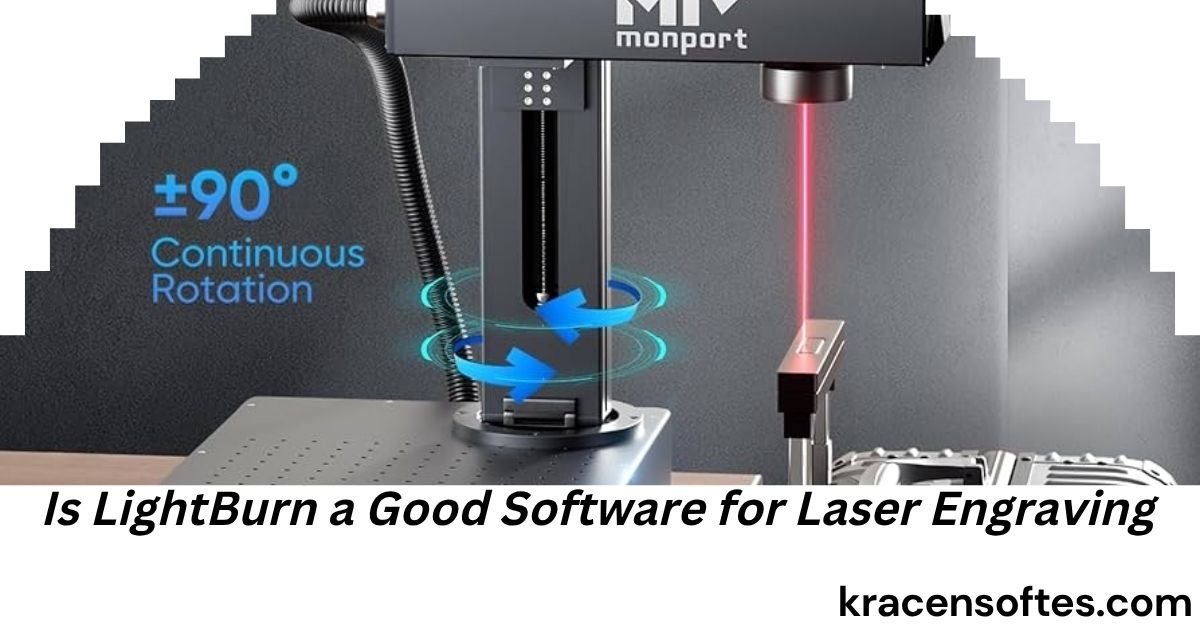
If you are looking into laser engraving, one question probably comes up very quickly: is LightBurn a good software for laser engraving?
The short answer is yes. LightBurn is widely considered one of the best laser engraving software solutions available today. It is trusted by hobbyists, small business owners, makers, educators, and professional engraving shops across the United States and around the world.
However, simply saying “yes” does not tell the whole story.
Laser engraving software is the brain behind your laser machine. Even the most powerful laser engraver can produce poor results if the software is difficult to use or lacks important features. On the other hand, excellent software can help users create cleaner engravings, faster workflows, and better business results.
This comprehensive guide explores everything you need to know about LightBurn, including its features, advantages, disadvantages, pricing, compatibility, performance, and whether it is the right choice for your laser engraving needs.
If you have been searching for the answer to “is LightBurn a good software for laser engraving,” this article will provide a complete and unbiased analysis.
What Is LightBurn?
LightBurn is a laser control and design software program created specifically for laser engraving and laser cutting machines.
Unlike general graphic design software, LightBurn combines design tools and machine control tools into one platform. This means users can create artwork, edit designs, prepare files, and operate their laser engraver without constantly switching between multiple applications.
The software works on:
- Windows
- macOS
- Linux
LightBurn supports many popular laser machines, including:
- Diode lasers
- CO2 lasers
- Fiber lasers
- Galvo lasers
- DSP-controlled laser systems
Because of its broad compatibility and professional capabilities, it has become one of the most recommended laser engraving software programs in the industry.
Is LightBurn a Good Software for Laser Engraving?
Yes, LightBurn is a good software for laser engraving for most users.
In fact, many laser engraving professionals consider it the industry standard for laser control software.
The reason is simple.
LightBurn successfully combines:
- Easy-to-use design tools
- Powerful laser controls
- Advanced editing features
- Reliable machine communication
- Frequent updates
- Strong community support
Instead of forcing users to learn multiple software programs, LightBurn offers an all-in-one solution that handles almost every part of the laser engraving workflow.
For beginners, it reduces the learning curve.
For professionals, it saves time and increases productivity.
This combination makes it one of the strongest software choices available in 2026.
Also Read: How to Do Software Reset on iPhone: The Complete Step-by-Step Guide for Every iPhone Model
Why LightBurn Has Become So Popular
Several factors explain why LightBurn has gained such a strong reputation.
All-in-One Workflow
One of LightBurn’s biggest advantages is convenience.
Users can:
- Create artwork
- Import designs
- Edit graphics
- Set laser parameters
- Preview jobs
- Send files directly to the machine
Without LightBurn, users often need multiple software programs to accomplish the same tasks.
This streamlined workflow saves valuable time.
User-Friendly Interface
Many laser software packages can feel overwhelming.
LightBurn manages to provide professional tools while maintaining a relatively simple interface.
Most users can learn basic operations within a few hours.
The software uses familiar design concepts, making it easier for people who have experience with graphics programs.
Excellent Machine Compatibility
Another reason people ask “is LightBurn a good software for laser engraving” is compatibility.
The answer is often yes because it works with a large range of laser machines.
Many popular brands support LightBurn directly, making setup easier and reducing technical challenges.
Active Development
The software receives regular updates.
New features, performance improvements, and bug fixes are released consistently.
This continuous improvement helps keep the software relevant as laser technology evolves.
Key Features of LightBurn
Understanding the software’s capabilities helps explain why it receives so much praise.
Vector Design Tools
LightBurn includes professional vector editing tools.
Users can:
- Draw shapes
- Create text
- Edit curves
- Resize objects
- Align elements
- Combine designs
These features eliminate the need for separate design software for many projects.
Image Editing Tools
The software also provides useful image-processing features.
Users can:
- Adjust brightness
- Adjust contrast
- Convert images
- Prepare photographs for engraving
- Optimize artwork
These tools help create cleaner engraving results.
Camera Integration
Certain laser systems support camera integration.
This feature allows users to:
- Position artwork accurately
- Preview material placement
- Reduce waste
- Improve alignment
Businesses often find this feature especially valuable.
Material Library
The material library stores engraving settings for different materials.
Examples include:
- Wood
- Acrylic
- Leather
- Glass
- Cardboard
- Metal marking materials
Instead of entering settings repeatedly, users can save and reuse proven configurations.
Layer-Based Controls
Layers help organize engraving jobs.
Each layer can have different:
- Speed settings
- Power levels
- Engraving methods
- Cutting parameters
This creates greater flexibility during production.
ALso Read: How to Completly Remove Software in Win 10: The Complete Step-by-Step Guide
Preview Mode
LightBurn includes a powerful preview system.
Users can:
- Estimate completion times
- Check engraving paths
- Identify errors
- Optimize job settings
Previewing before engraving reduces mistakes and material waste.
LightBurn for Beginners
Many first-time laser owners worry about software complexity.
Fortunately, LightBurn is beginner friendly compared to many alternatives.
Easy Learning Curve
Most users learn basic operations quickly.
The software includes:
- Tutorials
- Documentation
- Video guides
- Community forums
These resources help beginners become productive faster.
Visual Workspace
The visual workspace clearly shows:
- Design placement
- Machine boundaries
- Layers
- Engraving paths
This visual feedback makes learning easier.
Reduced Setup Frustration
Laser engraving already involves learning:
- Materials
- Focus settings
- Power settings
- Maintenance
Having intuitive software reduces overall frustration.
LightBurn for Small Businesses
Small businesses often rely heavily on efficiency.
LightBurn offers several advantages for commercial users.
Faster Production
Time savings accumulate quickly.
Businesses can:
- Save templates
- Reuse settings
- Batch process jobs
- Streamline workflows
These efficiencies improve profitability.
Consistent Results
Consistency is critical for customer satisfaction.
LightBurn helps standardize production through:
- Saved settings
- Material profiles
- Layer configurations
This reduces variability between projects.
Professional Output
Customers expect professional-quality engravings.
LightBurn provides the control needed to achieve:
- Sharp details
- Accurate cuts
- Clean text
- High-quality graphics
Cost Effectiveness
Compared to many industrial software packages, LightBurn offers substantial value.
Businesses gain professional capabilities without massive software investments.
LightBurn for Professional Laser Shops
Professional laser operators often have higher expectations.
Fortunately, LightBurn includes advanced features that appeal to experienced users.
Advanced Optimization
Professionals can fine-tune:
- Scan angles
- Power settings
- Speed adjustments
- Layer sequencing
This level of control improves production quality.
High-Speed Workflow
Professional shops frequently process large volumes of work.
LightBurn’s workflow efficiency helps reduce bottlenecks.
Multi-Material Support
Professional businesses often engrave:
- Wood
- Acrylic
- Leather
- Metal
- Glass
- Stone
LightBurn accommodates these diverse applications effectively.
Advantages of Using LightBurn
Comprehensive Feature Set
Users receive design and machine control capabilities in one application.
Strong Community Support
Thousands of users share:
- Tutorials
- Settings
- Troubleshooting advice
- Project ideas
This community support is extremely valuable.
Frequent Software Updates
Regular updates help improve reliability and add new functionality.
Excellent Value
The software delivers professional-grade capabilities at a reasonable price.
Reliable Performance
Many users report stable operation during long engraving sessions.
Cross-Platform Availability
Windows, Mac, and Linux users can all access the software.
Potential Drawbacks of LightBurn
No software is perfect.
When evaluating whether LightBurn is a good software for laser engraving, it is important to consider limitations.
Not Free
Unlike some alternatives, LightBurn requires a paid license.
Although many users feel the price is justified, budget-conscious buyers may hesitate initially.
Learning Advanced Features Takes Time
Basic operations are easy.
Advanced functions require additional learning.
Professional-level mastery can take weeks or months.
Compatibility Limitations
While compatibility is extensive, not every laser machine supports LightBurn.
Users should verify compatibility before purchasing.
Hardware Requirements
Very large projects can benefit from a modern computer with adequate memory and processing power.
LightBurn vs Free Laser Software
Many users compare LightBurn with free alternatives.
Ease of Use
LightBurn generally offers a smoother user experience.
Feature Depth
Most free programs provide fewer advanced features.
Reliability
Professional users often report greater reliability with LightBurn.
Support Resources
LightBurn benefits from extensive educational resources and community support.
For serious laser engraving users, the productivity improvements often outweigh the license cost.
LightBurn vs LaserGRBL
LaserGRBL is another popular laser software solution.
LaserGRBL Strengths
- Free
- Lightweight
- Simple setup
LightBurn Strengths
- Better design tools
- More professional workflow
- Advanced project management
- Broader functionality
LaserGRBL is excellent for beginners on a budget.
LightBurn is generally preferred for long-term growth and professional work.
LightBurn vs RDWorks
Many CO2 laser owners compare these platforms.
RDWorks
Often included with laser machines.
LightBurn
Provides:
- Better interface
- More intuitive workflow
- Enhanced design capabilities
- Improved user experience
Many users upgrade to LightBurn after initially using RDWorks.
Best Projects Created with LightBurn
LightBurn supports a wide variety of applications.
Popular projects include:
- Personalized gifts
- Wooden signs
- Business logos
- Tumblers
- Jewelry
- Leather products
- Awards
- Photo engravings
- Acrylic displays
- Educational materials
Its flexibility makes it suitable for countless creative projects.
Industries That Use LightBurn
LightBurn is used across many industries.
Personalized Products
Customized items remain one of the fastest-growing engraving markets.
Awards and Recognition
Trophies and plaques require precise engraving.
Manufacturing
Manufacturers use lasers for marking and identification.
Education
Schools and makerspaces often use LightBurn for STEM projects.
Also Read: How to Become a Software Developer: The Complete 2026 Step-by-Step Career Guide
Arts and Crafts
Artists appreciate its design flexibility.
Small Business Production
Many home-based businesses rely on LightBurn daily.
How LightBurn Improves Engraving Quality
Software influences quality more than many people realize.
LightBurn improves results through:
- Better image processing
- Accurate power control
- Layer management
- Precision positioning
- Optimized engraving paths
These factors contribute directly to cleaner engravings.
Tips for Getting the Best Results with LightBurn
Create Material Test Grids
Testing helps identify ideal settings.
Organize Layers Properly
Layer organization improves workflow and accuracy.
Use High-Quality Artwork
Better artwork produces better engravings.
Maintain Your Laser Machine
Even the best software cannot compensate for poor machine maintenance.
Keep Software Updated
Updates often improve performance and compatibility.
Learn Advanced Features
Investing time in learning advanced tools can significantly improve output quality.
Is LightBurn Worth the Money?
For most users, yes.
The software often pays for itself through:
- Reduced waste
- Faster production
- Better results
- Improved efficiency
Even hobbyists frequently find value in the time savings and improved user experience.
Business owners typically recover the software cost quickly through increased productivity.
Who Should Buy LightBurn?
LightBurn is an excellent choice for:
- Beginners
- Hobbyists
- Makers
- Teachers
- Small businesses
- Professional engraving shops
The software scales effectively from simple personal projects to commercial production environments.
Who Might Not Need LightBurn?
Some users may not need LightBurn immediately.
Examples include:
- People who rarely use their laser
- Users whose machines require different software
- Individuals satisfied with basic free software
However, many eventually upgrade as their needs grow.
The Future of LightBurn
Laser technology continues to evolve rapidly.
Future trends likely include:
- Better automation
- AI-assisted workflows
- Improved image processing
- Enhanced camera systems
- Faster machine integration
Because LightBurn maintains active development, it is well positioned to adapt to these changes.
This ongoing innovation helps explain why so many users continue choosing the platform year after year.
Final Verdict: Is LightBurn a Good Software for Laser Engraving?
After examining its features, strengths, weaknesses, and real-world applications, the answer is clear.
Yes, LightBurn is a good software for laser engraving.
In fact, it is one of the most complete and respected laser engraving software platforms available in 2026.
Its combination of ease of use, professional capabilities, strong compatibility, active development, and excellent workflow efficiency makes it suitable for beginners and experts alike.
While no software is perfect, LightBurn consistently delivers outstanding value for laser engraving enthusiasts, small businesses, educational institutions, and professional production shops.
For most users seeking a reliable and feature-rich laser engraving solution, LightBurn remains one of the strongest choices on the market.
Frequently Asked Questions
Can LightBurn work without an internet connection?
Yes. Once installed and activated, LightBurn can perform most laser engraving tasks without a constant internet connection.
Does LightBurn support rotary engraving attachments?
Yes. Many supported laser systems can use rotary attachments through LightBurn for engraving cylindrical objects such as tumblers, bottles, and mugs.
Can LightBurn import files from other design programs?
Yes. LightBurn supports importing various file formats created in graphic design applications, making collaboration easier.
Is LightBurn suitable for educational makerspaces?
Yes. Many schools, colleges, libraries, and makerspaces use LightBurn because it combines professional features with an approachable interface.
Does LightBurn help reduce material waste?
Yes. Features such as preview mode, camera positioning, and accurate job setup can significantly reduce wasted materials.
Can multiple laser machines use the same LightBurn license?
License rules vary depending on the edition and licensing terms. Users should review the latest licensing details before deploying the software across multiple machines.
Is LightBurn useful for photo engraving?
Yes. Its image-processing tools help prepare photographs for engraving on wood, slate, acrylic, and other materials.
How often is LightBurn updated?
The software receives regular updates that include bug fixes, feature improvements, compatibility enhancements, and performance optimizations.
Can LightBurn be used for commercial production?
Absolutely. Many successful engraving businesses use LightBurn daily for customer orders, batch production, and custom manufacturing projects.
What makes LightBurn different from basic laser software?
The biggest difference is its all-in-one approach. Users can design, edit, optimize, preview, and run laser jobs from a single application, creating a smoother and more productive workflow.