Many Windows users ask the same question: what is the quickest system defragger software?
As computers age, files become scattered across the hard drive. This process is called fragmentation. When fragmentation increases, the computer may take longer to find files, open programs, and complete tasks. Defragmentation software helps reorganize these files so the system can access them more efficiently.
The good news is that modern defrag tools can significantly improve performance on traditional hard disk drives (HDDs). However, not all defraggers are equal. Some focus on speed, while others focus on optimization, automation, or advanced system tuning.
In this comprehensive guide, we will answer the question “what is the quickest system defragger software” with updated information, compare the leading tools, explain how defragmentation works, discuss free options, and help you choose the best solution for your needs.
Whether you are a home user, gamer, student, or business professional, this guide will help you understand which defragger delivers the fastest results and the best overall value.
What Is Disk Defragmentation?
Disk defragmentation is the process of reorganizing fragmented files stored on a hard disk drive.
Over time, when files are created, edited, moved, and deleted, pieces of those files become spread across different areas of the drive. Instead of reading one continuous file, the hard drive must search multiple locations.
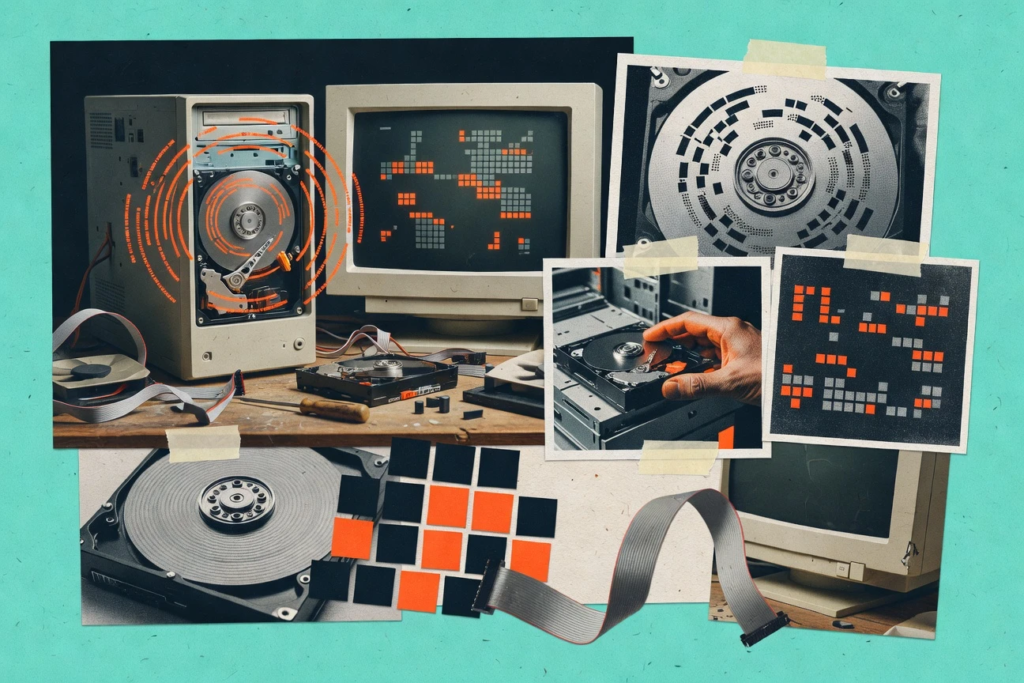
This extra movement can slow down performance.
Defragmentation software solves this problem by:
- Reorganizing fragmented files
- Moving related file pieces together
- Optimizing file placement
- Improving drive efficiency
- Reducing file access times
As a result, systems with traditional HDDs often experience:
- Faster startup times
- Quicker file access
- Improved application performance
- Better overall responsiveness
Do You Need Defragmentation in 2026?
The answer depends on your storage device.
If You Use a Traditional HDD
Yes, defragmentation remains useful.
Mechanical hard drives rely on moving parts. Fragmented files force the drive head to move more frequently, which can reduce performance.
Regular defragmentation can improve efficiency and speed.
If You Use an SSD
No, traditional defragmentation is generally unnecessary.
Solid-state drives access data electronically rather than mechanically. Fragmentation has little effect on performance.
Modern Windows systems automatically optimize SSDs using TRIM technology rather than traditional defragmentation.
Before choosing any defrag software, determine whether your computer uses:
- HDD
- SSD
- Hybrid drive
This is one of the most important factors in deciding whether you need a defragger at all.
What Is the Quickest System Defragger Software?
When evaluating speed, efficiency, optimization algorithms, and user feedback, several programs consistently stand out.
Also Read: What Is SAS Software? A Complete Beginner’s Guide to Statistical Analysis Software
The quickest system defragger software options in 2026 include:
- IObit Smart Defrag
- Auslogics Disk Defrag
- O&O Defrag
- Defraggler
- UltraDefrag
- Windows Built-In Defragmenter
Each tool has strengths and weaknesses.
Let’s examine them in detail.
IObit Smart Defrag: The Fastest Overall Choice
For many users, IObit Smart Defrag is widely considered the quickest system defragger software available today.
Why It Stands Out
Smart Defrag uses advanced optimization algorithms that prioritize frequently used files and system components.
Key advantages include:
- Fast defragmentation engine
- Boot-time defrag capability
- Automatic scheduling
- Game optimization features
- Intelligent file placement
- User-friendly interface
Performance Benefits
Many users report:
- Faster Windows boot times
- Improved game loading speeds
- Reduced system lag
- Better HDD responsiveness
Best For
- Home users
- Gamers
- Beginners
- Users seeking automatic optimization
Pros
- Easy to use
- Fast scan speed
- Free version available
- Excellent automation
Cons
- Promotional offers in free version
- Some advanced features require upgrade
For most people asking what is the quickest system defragger software, Smart Defrag is often the top recommendation.
Auslogics Disk Defrag: The Best Lightweight Defragger
Auslogics Disk Defrag is another leading contender.
Unlike many competitors, it focuses heavily on speed and efficiency.
Key Features
- Compact installation
- Fast analysis
- Resource-friendly operation
- File optimization
- Scheduled maintenance
Why Users Like It
The software completes many defragmentation jobs faster than larger, feature-heavy alternatives.
It consumes fewer system resources and remains easy to operate.
Best For
- Older PCs
- Budget users
- Users wanting simplicity
Pros
- Very lightweight
- Fast execution
- Easy navigation
- Free version available
Cons
- Fewer advanced features
- Limited customization compared to premium tools
If speed alone is your priority, Auslogics Disk Defrag deserves serious consideration.
O&O Defrag: Professional-Level Optimization
O&O Defrag is one of the most respected names in disk optimization.
While it may not always finish the fastest, its optimization quality is among the best available.
Advanced Features
- Multiple optimization methods
- Automatic maintenance
- Performance monitoring
- Enterprise-level functionality
- Detailed reporting
Why Professionals Prefer It
O&O Defrag focuses on long-term performance gains rather than simply completing the job quickly.
It intelligently organizes files to maximize efficiency over time.
Best For
- Power users
- Businesses
- IT professionals
Pros
- Excellent optimization
- Advanced settings
- Reliable scheduling
- Long-term performance benefits
Cons
- Paid software
- More complex interface
Defraggler: Flexible and Easy to Use
Developed by the creators of CCleaner, Defraggler remains a popular choice.
Unique Advantage
Unlike many competitors, Defraggler allows users to defragment:
- Individual files
- Specific folders
- Entire drives
This flexibility can save time and reduce unnecessary processing.
Features
- Portable version
- Scheduled tasks
- Drive health monitoring
- Quick defrag options
Best For
- Casual users
- Users wanting targeted optimization
Pros
- Flexible controls
- Simple interface
- Free version available
Cons
- Fewer advanced optimization tools
- Development updates are less frequent
UltraDefrag: Open-Source Performance
UltraDefrag is an open-source alternative that focuses on effectiveness and speed.
Benefits
- Completely free
- Lightweight
- Boot-time optimization
- Open-source transparency
Ideal Users
- Technical users
- Enthusiasts
- Users seeking free solutions
Pros
- No cost
- Strong performance
- Customizable
Cons
- Less polished interface
- Not ideal for beginners
Windows Built-In Defragmenter
Windows includes its own optimization tool.
While it lacks advanced features, it works well for basic maintenance.
Advantages
- Free
- Built into Windows
- Automatic scheduling
- Safe and reliable
Limitations
- Limited customization
- Slower optimization methods
- Fewer advanced features
Best For
- Average users
- Basic maintenance
For many households, the built-in Windows utility may be sufficient.
ALso Read: What Is SAP Software? A Complete Beginner’s Guide to SAP ERP, Features, Benefits, and Business Applications
What Is the Quickest System Defragger Software That Is Free?
Many users specifically search for what is the quickest system defragger software that is free.
The best free options include:
IObit Smart Defrag Free
Top free choice for most users.
Benefits:
- Fast operation
- Automatic scheduling
- Boot-time defrag
- User-friendly design
Auslogics Disk Defrag Free
Excellent lightweight solution.
Benefits:
- Quick scans
- Fast optimization
- Low system impact
Defraggler Free
Great for targeted defragmentation.
Benefits:
- Individual file defrag
- Portable version
- Easy controls
UltraDefrag
Best open-source option.
Benefits:
- Completely free
- Powerful engine
- Advanced customization
For users seeking what is the quickest system defragger software that is free, Smart Defrag Free generally offers the best combination of speed and features.
How We Evaluated Defrag Software
To identify the quickest solutions, several factors must be considered.
Scan Speed
How quickly the software analyzes fragmentation.
Defrag Speed
How rapidly the software reorganizes fragmented files.
Optimization Quality
Whether the software simply defrags or intelligently optimizes file placement.
Resource Usage
How much CPU and memory the program consumes.
Automation
The ability to schedule maintenance automatically.
User Experience
Ease of use for beginners and experienced users.
The fastest software is not always the best software. Long-term optimization often matters more than raw speed.
Common Myths About Defragmentation
Myth 1: Every Computer Needs Defragmentation
False.
Many modern systems use SSDs, which do not benefit from traditional defragmentation.
Myth 2: Daily Defragmentation Is Necessary
False.
Most users only need occasional maintenance.
Myth 3: Defragmentation Fixes All Performance Problems
False.
Slow performance may also result from:
- Malware
- Insufficient RAM
- Background applications
- Aging hardware
- Full storage drives
Myth 4: Free Defraggers Are Ineffective
False.
Several free solutions perform extremely well.
How Often Should You Defragment Your HDD?
The ideal schedule depends on usage.
Light Users
Once per month.
Average Users
Every two to four weeks.
Heavy Users
Weekly maintenance may help.
Examples include:
- Gamers
- Video editors
- Designers
- Large file users
Automated scheduling is usually the best approach.
Signs Your Hard Drive Needs Defragmentation
Watch for these symptoms:
- Slow file opening
- Longer startup times
- Delayed program launches
- Frequent disk activity
- General sluggishness
These signs may indicate fragmentation on traditional HDDs.
The Impact of Defragmentation on Gaming
Gamers often ask whether defragmentation improves performance.
What It Can Improve
- Game launch times
- Level loading times
- Asset loading speed
What It Cannot Improve
- Graphics quality
- Frame rates
- GPU performance
Defragmentation helps storage efficiency but does not increase graphics processing power.
Security Considerations When Choosing Defrag Software
Not all optimization tools are equally trustworthy.
Choose software from reputable developers with:
- Positive reviews
- Frequent updates
- Transparent privacy policies
- Long-term industry reputation
Avoid unknown utilities that promise unrealistic speed improvements.
Expert Recommendation: Which Defragger Should You Choose?
Based on current performance, features, ease of use, and overall value, here are the top recommendations.
Best Overall
IObit Smart Defrag
Excellent balance of speed, automation, and optimization.
Best Free Choice
IObit Smart Defrag Free
Outstanding features without cost.
Best Lightweight Option
Auslogics Disk Defrag
Very fast and resource-efficient.
Best for Professionals
O&O Defrag
Advanced optimization for power users.
Best Open-Source Solution
UltraDefrag
Flexible and completely free.
Best Built-In Tool
Windows Optimize Drives
Reliable for basic maintenance.
Future of Defragmentation Software
The storage industry continues moving toward SSD technology.
As SSD adoption grows:
- Traditional defragmentation becomes less important
- Drive optimization tools evolve
- SSD health monitoring becomes more valuable
- TRIM optimization replaces classic defragging
However, millions of HDD-based systems remain in use, especially in:
- Budget computers
- Older PCs
- Business environments
- Large storage systems
Defrag software will continue to serve these users for years to come.
ALso Read: What Is Project Management Software? A Complete Beginner’s Guide for Modern Businesses
Final Verdict
If you are asking what is the quickest system defragger software, the answer for most users in 2026 is IObit Smart Defrag.
It combines rapid analysis, efficient optimization, automation, and user-friendly design. For users wanting a free solution, it also ranks among the strongest choices available.
Those seeking lightweight performance may prefer Auslogics Disk Defrag, while professionals often choose O&O Defrag for its advanced optimization capabilities.
Most importantly, remember that defragmentation benefits traditional hard disk drives far more than SSDs. Before installing any software, verify your storage type and determine whether defragmentation is actually needed.
When used appropriately, a quality defragger can extend the useful life of an HDD, improve responsiveness, and provide a noticeably smoother computing experience.
Frequently Asked Questions
Is defragmentation safe for my computer?
Yes. Reputable defragmentation software is generally safe when used correctly. Always back up important data before making major system changes.
Can defragmentation delete my files?
No. Properly functioning defrag software reorganizes files without deleting them. Data loss is extremely rare when using trusted programs.
Does Windows 11 still include a defragmentation tool?
Yes. Windows 11 includes the Optimize Drives utility, which automatically manages drive optimization.
Will defragmentation speed up internet browsing?
Not directly. Defragmentation improves storage performance, but internet speed mainly depends on your connection and browser efficiency.
How long does a full defragmentation take?
The time varies depending on drive size, fragmentation level, and hardware performance. It can range from a few minutes to several hours.
Should laptops be defragmented?
Laptops with HDDs can benefit from defragmentation. Laptops with SSDs generally should not be manually defragmented.
Can I use my computer during defragmentation?
Yes. Most modern defrag tools allow normal computer use while optimization is running, though performance may be slightly reduced.
What percentage of fragmentation is considered high?
Many experts recommend defragmenting when fragmentation reaches approximately 10% to 15% or higher on traditional HDDs.
Does defragmentation improve boot speed?
Yes. Organizing system files can often reduce startup times on hard disk drives.
What is the quickest system defragger software that is free for Windows users?
For most Windows users, IObit Smart Defrag Free and Auslogics Disk Defrag Free are among the quickest and most effective free defragmentation tools available today.