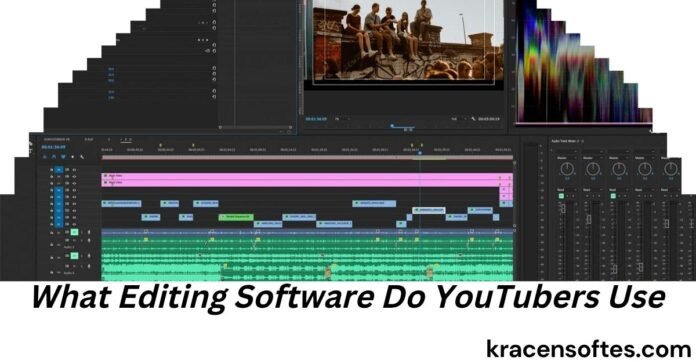
YouTube has become one of the world’s biggest platforms for creators. Every day, millions of videos are uploaded by gamers, vloggers, educators, business owners, musicians, and filmmakers. While great ideas matter, professional editing often separates successful videos from average ones.
If you have ever wondered, “what editing software do youtubers use,” you are not alone. It is one of the most searched questions among new creators because choosing the right editing software can save time, improve video quality, and help channels grow faster.
The truth is that there is no single editing program used by every YouTuber. Different creators choose different software depending on their experience, budget, operating system, video style, and workflow.
Today, Adobe Premiere Pro, Final Cut Pro, and DaVinci Resolve remain the most popular choices for long-form YouTube content. For YouTube Shorts and social media videos, CapCut and OpusClip continue to dominate because they make short-form editing faster and easier.
This complete guide explains everything you need to know about what editing software do youtubers use, including the best software for beginners, professionals, gaming channels, vloggers, businesses, educators, and content creators in 2026.
Why Video Editing Matters More Than Ever
Uploading raw footage rarely keeps viewers interested.
Professional editing helps creators:
- Remove mistakes
- Improve storytelling
- Keep viewers watching longer
- Add music and sound effects
- Create attractive transitions
- Improve colors
- Add subtitles
- Include animations
- Increase audience engagement
Better editing often leads to higher watch time, stronger audience retention, and better performance in YouTube’s recommendation system.
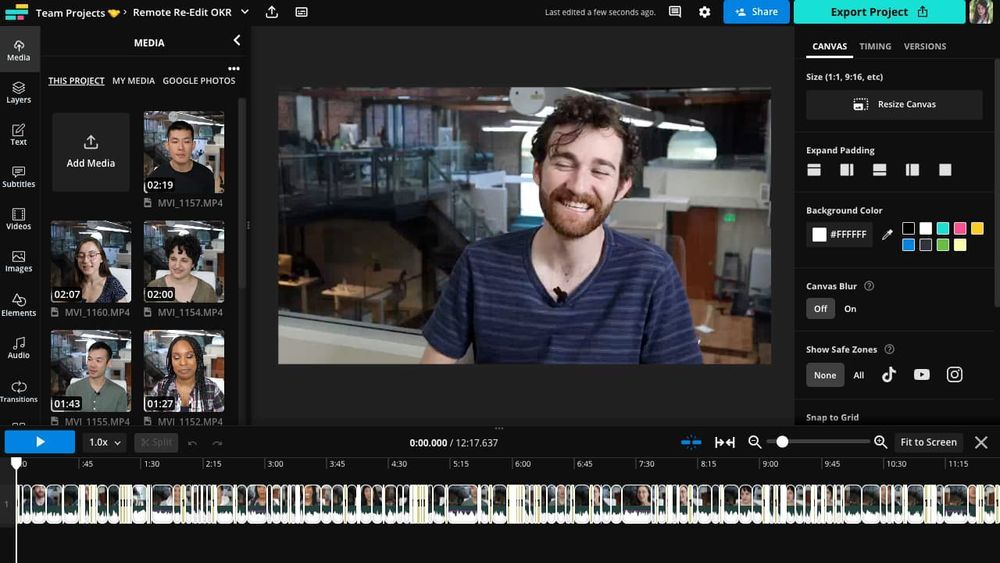
In other words, editing is not just about making videos look better. It directly affects channel growth.
What Editing Software Do YouTubers Use?
The answer depends on the creator.
Here are the editing programs most commonly used by YouTubers today.
Adobe Premiere Pro
Adobe Premiere Pro is considered the industry standard for YouTube editing.
Thousands of professional creators, agencies, production companies, and media organizations rely on Premiere Pro because it offers nearly unlimited editing possibilities.
Best for:
- Professional YouTubers
- Business channels
- Documentary creators
- Educational creators
- Product reviewers
- Long-form content
Advantages include:
- Multi-camera editing
- Advanced color correction
- Motion graphics integration
- Excellent audio editing
- AI-powered editing tools
- Seamless Adobe Creative Cloud workflow
- Supports 4K, 6K, and 8K videos
Although Premiere Pro has a learning curve, many successful YouTubers continue using it for years because it grows with their skills.
Also Read: How to Use QuickBooks Software: The Complete Beginner-to-Expert Guide for Small Businesses in 2026
Final Cut Pro
Final Cut Pro is Apple’s professional editing software.
Many Mac users prefer it because it is fast, smooth, and optimized specifically for Apple hardware.
Best for:
- Mac users
- Lifestyle creators
- Travel vloggers
- Tech reviewers
- Family vloggers
Benefits include:
- Extremely fast rendering
- One-time purchase
- Professional features
- Excellent timeline organization
- Stable performance
For creators using MacBooks with Apple Silicon chips, Final Cut Pro remains one of the fastest editing solutions available.
DaVinci Resolve
DaVinci Resolve has become one of the biggest success stories in video editing.
Many people searching “what editing software do youtubers use” are surprised to learn that one of the world’s best professional editors is available for free.
The free version includes:
- Professional editing
- Hollywood-quality color grading
- Audio production
- Motion graphics
- Visual effects
The Studio version unlocks additional AI tools and advanced effects.
Best for:
- Beginners
- Professionals
- Independent filmmakers
- Educational creators
- Budget-conscious YouTubers
Many creators begin with the free version and never need to switch.
CapCut
CapCut has exploded in popularity thanks to YouTube Shorts.
It is especially popular among creators producing:
- Shorts
- Viral clips
- Social media videos
- Quick edits
- Mobile content
Popular features include:
- AI captions
- Templates
- Auto-cut tools
- Background removal
- Effects
- Music synchronization
CapCut is excellent for speed but may not replace professional software for larger projects.
OpusClip
OpusClip is not a traditional editor.
Instead, it uses artificial intelligence to convert long videos into multiple short clips optimized for YouTube Shorts.
Creators often use it after editing long videos in Premiere Pro or DaVinci Resolve.
It helps:
- Save editing time
- Find viral moments
- Add captions
- Resize videos
- Improve social media workflow
Many podcast creators now include OpusClip as part of their editing process.
iMovie
Apple includes iMovie free with Macs, iPhones, and iPads.
Although simple, it remains an excellent starting point.
Ideal for:
- Beginners
- Students
- Family channels
- Hobby creators
Many successful YouTubers actually started with iMovie before upgrading.
Filmora
Filmora has become one of the easiest editing programs for beginners.
Its interface is clean, making it less intimidating than professional software.
Features include:
- Drag-and-drop editing
- Built-in templates
- AI editing tools
- Effects library
- Motion titles
Many first-time YouTubers appreciate how quickly they can produce polished videos.
What Video Editing Software Do YouTubers Use Based on Their Content?
Different content types require different editing workflows.
Gaming Channels
People often ask, “what editing software do youtubers use for gaming?”
Gaming creators typically prefer software that handles large recordings efficiently.
Popular choices include:
- Adobe Premiere Pro
- DaVinci Resolve
- Final Cut Pro
- Vegas Pro
- Filmora
Gaming videos usually include:
- Facecam
- Screen recordings
- Sound effects
- Zoom effects
- Memes
- Motion graphics
- Fast cuts
Professional editors help organize these complex projects.
Vlogging Channels
Vloggers usually want editing software that is quick and intuitive.
Popular choices include:
- Final Cut Pro
- Premiere Pro
- CapCut
- iMovie
Travel creators especially appreciate fast exporting because they often edit while traveling.
Educational Channels
Educational creators prioritize clarity over flashy effects.
Common software includes:
- Premiere Pro
- DaVinci Resolve
- Camtasia
- Final Cut Pro
These editors support:
- Screen recording
- Text overlays
- Charts
- Graphics
- Presentation slides
Business YouTube Channels
Businesses create videos for marketing, training, and customer education.
Most companies choose:
- Premiere Pro
- DaVinci Resolve
- Final Cut Pro
These programs produce polished, professional branding.
Podcast Channels
Video podcast creators often combine:
- Premiere Pro
- DaVinci Resolve
- Riverside editing
- OpusClip
AI tools then transform podcast episodes into multiple Shorts.
What Editing Software Do Most YouTubers Use?
When discussing professional creators, Adobe Premiere Pro continues to lead.
Also Read: Is Aula Software Safe? A Complete Guide to Security, Privacy, Features, and Best Practices
However, the answer depends on experience.
Typical breakdown:
Beginners
- CapCut
- iMovie
- Filmora
Intermediate creators
- DaVinci Resolve
- Premiere Elements
- Filmora
Professional creators
- Adobe Premiere Pro
- Final Cut Pro
- DaVinci Resolve Studio
Many successful creators even combine several programs instead of relying on one editor.
Desktop vs Mobile Editing
Today’s creators often use both desktop and mobile editing.
Desktop advantages:
- Better performance
- More advanced features
- Faster workflow
- Better color correction
- Superior audio editing
Mobile advantages:
- Edit anywhere
- Faster publishing
- Great for Shorts
- Easy social media posting
Many YouTubers now shoot on smartphones, edit on laptops, and publish from mobile devices.
Free Editing Software Worth Using
You do not need expensive software to succeed.
Excellent free editors include:
DaVinci Resolve
One of the best free editors ever created.
CapCut
Excellent for Shorts and beginner editing.
iMovie
Perfect for Mac beginners.
Clipchamp
Built into Windows for many users.
OpenShot
Simple open-source editor.
Shotcut
Powerful free editing software.
Free software continues improving every year, making professional-quality editing accessible to almost everyone.
Paid Editing Software Worth the Investment
As channels grow, investing in editing software often becomes worthwhile.
Popular paid options include:
- Adobe Premiere Pro
- Final Cut Pro
- DaVinci Resolve Studio
- Filmora
- Vegas Pro
Paid versions usually provide:
- More AI features
- Better effects
- Advanced exports
- Noise reduction
- Motion graphics
- Collaboration tools
AI Is Changing Video Editing
Artificial intelligence has transformed editing in recent years.
Modern editors now include:
Auto captions
AI generates subtitles within minutes.
Background removal
No green screen required.
Object removal
Remove unwanted people or objects.
Voice cleanup
Reduce background noise.
Auto reframing
Convert landscape videos into vertical Shorts.
Scene detection
Automatically split long videos.
Highlight generation
Identify engaging moments.
These features save creators hours every week.
How Professional YouTubers Build Their Editing Workflow
Many beginners imagine famous YouTubers using one editing program.
In reality, professionals often combine several tools.
Example workflow:
Step 1
Record footage.
Step 2
Organize files.
Step 3
Edit in Premiere Pro or DaVinci Resolve.
Step 4
Create thumbnails.
Step 5
Generate captions.
Step 6
Use OpusClip for Shorts.
Step 7
Publish to YouTube.
The software works together instead of competing.
Choosing the Right Editing Software
The best editing software depends on your goals.
Choose Premiere Pro if:
- You want industry-standard software.
- You work with Adobe products.
- You plan to become a professional editor.
Choose Final Cut Pro if:
- You use a Mac.
- You want fast performance.
- You prefer a one-time purchase.
Choose DaVinci Resolve if:
- You want professional features.
- You need a powerful free version.
- You enjoy learning advanced editing.
Choose CapCut if:
- You focus on Shorts.
- You edit on your phone.
- You need quick videos.
Choose Filmora if:
- You are completely new.
- You want easy drag-and-drop editing.
- You like built-in templates.
Common Mistakes Beginners Make
Many new creators focus on effects instead of storytelling.
Common mistakes include:
Using too many transitions
Simple cuts usually look more professional.
Ignoring audio
Bad sound drives viewers away faster than average video quality.
Overusing zoom effects
Every effect should support the story.
Adding excessive music
Music should enhance, not overpower.
Publishing without reviewing
Watch your video from beginning to end before uploading.
How Editing Affects YouTube Growth
Editing influences many YouTube performance metrics.
Good editing improves:
Audience retention
People watch longer.
Watch time
Longer viewing sessions increase recommendations.
Click-through satisfaction
Strong editing matches viewer expectations.
Professional branding
High-quality editing builds trust.
Subscriber growth
People subscribe to channels that consistently deliver polished content.
The best creators understand that editing is part of storytelling, not just visual effects.
Future Trends in YouTube Editing
Video editing continues evolving rapidly.
Expect to see:
More AI automation
Faster cloud editing
Automatic translations
Real-time collaboration
Voice cloning for corrections
Smarter caption generation
AI highlight detection
Automated B-roll suggestions
While AI will handle repetitive tasks, creativity will remain the most valuable skill.
Expert Tips for New YouTubers
If you are just getting started, do not spend weeks comparing every editing program.
Also Read: ISN Software: The Complete Guide to Contractor Management, Compliance, and Supplier…
Instead:
Choose one editor.
Learn keyboard shortcuts.
Practice every week.
Focus on storytelling before visual effects.
Improve audio quality.
Study successful creators.
Create consistently.
Upgrade software only when you truly need more features.
Many large YouTube channels began with simple editing software before moving to professional tools.
Final Thoughts
If you have been asking yourself, “what editing software do youtubers use,” the answer is clear: the best creators choose software that matches their goals, experience, and workflow rather than chasing the most expensive option.
Adobe Premiere Pro remains the leading professional choice for long-form YouTube videos, while Final Cut Pro is a favorite among Mac users. DaVinci Resolve continues to offer incredible value with its powerful free version, making it one of the smartest choices for creators at every level. For short-form content, CapCut and OpusClip have become essential tools thanks to their speed and AI-powered features.
Remember that software alone does not create successful YouTube videos. Strong storytelling, clear audio, engaging visuals, and consistent publishing matter far more than the editing program you choose. Start with software that fits your current needs, master its features, and improve your editing skills over time. As your channel grows, your workflow and tools can grow with it.
The most successful YouTubers are not successful because they use expensive software. They succeed because they use their editing tools to tell better stories and keep viewers engaged from beginning to end.
Frequently Asked Questions
What editing software do YouTubers use the most?
Adobe Premiere Pro is the most widely used professional editing software among established YouTubers. Final Cut Pro and DaVinci Resolve are also extremely popular, while CapCut is a leading choice for YouTube Shorts.
Can beginners use Adobe Premiere Pro?
Yes. Although it has a learning curve, beginners can learn Premiere Pro through practice and tutorials. Many creators start with easier software before switching.
Is DaVinci Resolve really free?
Yes. The free version includes professional editing, color grading, visual effects, and audio tools. Most beginners can create high-quality YouTube videos without upgrading.
Do YouTubers edit videos on phones?
Many creators edit Shorts and simple videos on smartphones using apps like CapCut, but larger projects are usually edited on desktop or laptop computers.
What computer is best for video editing?
A computer with a fast processor, at least 16 GB of RAM, a dedicated graphics card, and SSD storage provides a smooth editing experience for most YouTube creators.
Which editing software is best for gaming videos?
Adobe Premiere Pro, DaVinci Resolve, and Final Cut Pro are among the best options because they handle long recordings, multiple audio tracks, and advanced effects efficiently.
Can I become successful using free editing software?
Absolutely. Many successful YouTubers began with free software such as DaVinci Resolve or iMovie before investing in paid tools.
Should I edit in 1080p or 4K?
If your camera supports it and your computer can handle it, editing in 4K provides greater flexibility for cropping and future-proofing your content. However, 1080p is still an excellent choice for many creators.
How long does it take to learn professional video editing?
Basic editing skills can be learned within a few weeks of consistent practice. Becoming highly skilled often takes several months to a year, depending on how frequently you edit.
Do YouTubers use AI for editing?
Yes. Many creators now use AI-powered tools for captions, noise removal, highlight detection, automatic reframing, thumbnail ideas, and converting long videos into YouTube Shorts, helping them save time while maintaining high-quality content.

