
If you have searched for “how does one disable Ring software,” you are probably looking for a safe and easy way to stop Ring from working temporarily or permanently. You may want to disable notifications, disconnect your Ring Doorbell, remove a device, pause motion detection, sign out of the app, or even delete your Ring account.
The good news is that Ring gives users several ways to control how its software works. Depending on your goal, you can disable only certain features or stop using the Ring system completely.
This guide explains every option in simple language. Whether you own a Ring Video Doorbell, Ring Security Camera, Ring Alarm, or several Ring devices, you will learn exactly how to manage the software without damaging your equipment or losing important information unexpectedly.
This article is written for beginners and experienced users alike. It includes updated information, practical tips, troubleshooting advice, privacy recommendations, and expert insights that go beyond the basic instructions available elsewhere.
What Does “Disable Ring Software” Actually Mean?
Many people use the phrase “how does one disable Ring software” even though they may mean different things.
For example, disabling Ring software can refer to:
- Turning off motion detection
- Disabling motion alerts
- Stopping live video access
- Logging out of the Ring app
- Removing a Ring device
- Disconnecting Wi-Fi
- Disabling Ring Alarm monitoring
- Turning off recording
- Deleting a Ring account
- Resetting a Ring device
- Uninstalling the Ring mobile application
Understanding your goal is important because each method affects your Ring system differently.
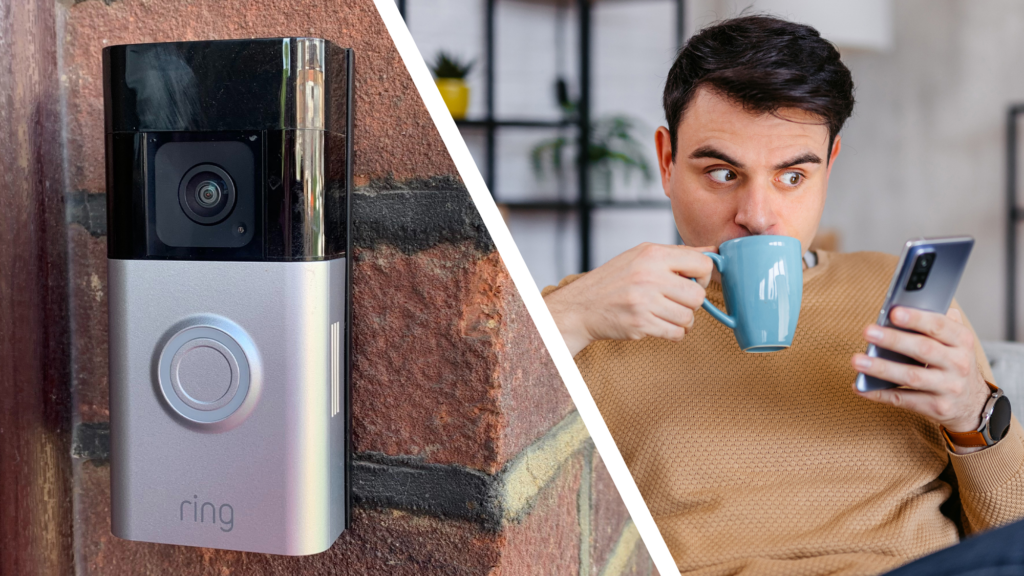
How Ring Software Works
Ring devices rely on three main parts working together.
First is the physical device, such as a Ring Doorbell or Ring Camera.
Second is the Ring mobile application, where users manage settings, receive notifications, and watch recorded videos.
Third is Ring’s cloud service, which stores recordings, manages alerts, and synchronizes all connected devices.
Disabling only one part does not necessarily stop the others from working. For example, deleting the mobile app from your phone does not disable the camera itself.
Reasons People Disable Ring Software
There are many legitimate reasons for disabling Ring software.
Some users simply want a break from frequent notifications.
Others are moving into a new home and transferring ownership.
Privacy is another common reason. Some homeowners prefer to stop recording while guests are visiting.
Business owners may temporarily disable cameras during maintenance.
Some users are replacing Ring with another smart home platform.
Understanding your reason helps you choose the correct method instead of permanently removing something you only wanted to pause.
How Does One Disable Ring Software Temporarily?
Temporary disabling is usually the best option because you can restore everything later.
Here are the most common methods.
Turn Off Motion Alerts
Motion alerts are one of Ring’s most useful features, but they can become overwhelming.
To disable them:
- Open the Ring app.
- Select your device.
- Tap Motion Settings.
- Turn Motion Alerts Off.
Your camera will remain connected, but you will no longer receive notification alerts.
This is ideal if you are working from home or expecting many visitors.
Disable Motion Detection
Motion detection controls when your Ring camera starts recording.
To disable it:
- Open Ring.
- Choose your device.
- Select Motion Settings.
- Turn Motion Detection Off.
The camera remains powered on but will no longer detect movement until you enable it again.
This method helps reduce unnecessary recordings and saves battery life on battery-powered devices.
Using Modes to Disable Ring Features
Ring offers different operating modes.
Common modes include:
- Home
- Away
- Disarmed
Each mode can have separate recording settings.
For example:
Home Mode may record only outdoor cameras.
Away Mode can record every camera.
Disarmed Mode can stop selected devices from recording.
Using modes is often a smarter solution than disabling each camera individually.
Disable Ring Notifications Without Turning Off Cameras
Sometimes users still want security recordings but do not want constant notifications.
You can simply disable alerts.
On Android:
Open Settings.
Choose Apps.
Select Ring.
Open Notifications.
Disable notifications.
On iPhone:
Open Settings.
Tap Notifications.
Choose Ring.
Turn off Allow Notifications.
Your cameras continue working normally.
Only the alerts disappear.
How to Disable Live View
Live View allows users to watch real-time video.
Although Ring does not provide a direct Live View off switch, you can effectively disable it by:
Removing shared users
Disconnecting the device from Wi-Fi
Removing the camera from your account
Turning off the device power
These methods prevent normal Live View access.
Disable Ring Recording
Some users want the camera powered on without saving videos.
Depending on your Ring device and subscription settings:
Open Ring App.
Select your camera.
Choose Device Settings.
Adjust Video Recording preferences if available.
If recording options are unavailable, disabling Motion Detection is often the easiest alternative.
How to Disable Ring Alarm Monitoring
Ring Alarm owners can stop monitoring without removing the system.
Open the Ring app.
Navigate to your Alarm.
Switch from Away Mode to Disarmed Mode.
Professional monitoring subscribers may also pause or cancel monitoring through their account settings.
This keeps the equipment installed while preventing active alarm responses.
Removing a Ring Device
If you no longer use a Ring device, removing it from your account may be the best solution.
Steps:
Open Ring App.
Select the device.
Open Device Settings.
Choose General Settings.
Tap Remove Device.
Confirm removal.
The device will no longer appear in your account.
It can later be set up by another owner after completing the required reset process.
Disconnect Ring from Wi-Fi
Disconnecting Wi-Fi effectively disables many cloud features.
Without internet:
No live viewing
No cloud recording
No alerts
No remote control
However, the device remains installed and powered.
This is useful during home network maintenance.
Factory Reset a Ring Device
A factory reset removes stored settings from the device.
General steps include:
Locate the setup button.
Hold it for approximately 20 seconds.
Wait for the light pattern indicating reset.
The device returns to setup mode.
Keep in mind that resetting does not automatically remove the device from your Ring account.
Always remove the device from your account first if you plan to sell or give it away.
Can You Disable Ring Without Deleting the App?
Yes.
Many users mistakenly believe they must uninstall the Ring application.
In reality, you can simply:
Turn off alerts
Disable motion detection
Remove selected devices
Disconnect Wi-Fi
Use different Ring Modes
Log out of the application
These options provide much greater flexibility.
How to Log Out of Ring Software
Logging out is useful when sharing devices or troubleshooting.
Steps:
Open Ring.
Tap the menu.
Open Account Settings.
Choose Log Out.
You can sign back in anytime using your credentials.
Logging out does not disable cameras.
It only removes access from that specific phone or tablet.
Disable Shared Access
If someone else has access to your Ring devices, you can remove them.
Open Control Center.
Select Shared Users.
Choose the user.
Remove their access.
They will immediately lose permission to view cameras and receive notifications.
This improves privacy without changing your own settings.
Privacy Tips Before Disabling Ring
Before making major changes, consider these recommendations:
Download important recordings if you want to keep them.
Review who has shared access.
Update your account password.
Enable two-factor authentication.
Check connected Alexa devices.
Remove unused smart home integrations.
Doing these steps first helps prevent accidental loss of important information.
Common Mistakes People Make
Many users accidentally create new problems while trying to disable Ring software.
Some common mistakes include:
Deleting the app instead of disabling features.
Factory resetting before removing ownership.
Disconnecting power without understanding the consequences.
Deleting video history accidentally.
Removing devices before downloading needed recordings.
These mistakes can usually be avoided by planning your changes before making them.
Advanced Troubleshooting When Disabling Ring Software
Sometimes Ring software does not respond the way you expect. A setting may refuse to save, the device may continue sending notifications, or motion events may still appear even after you think you have disabled them. In most cases, these issues are easy to fix.
Start by confirming that your phone has a stable internet connection. The Ring app must communicate with Ring’s cloud servers before changes can be applied to your devices.
Next, refresh the Ring app by completely closing it and reopening it. If the problem continues, sign out of your account and sign back in.
You should also check whether the Ring app is running the latest version. Older versions may contain bugs or may not display all available settings correctly.
If your Ring device is battery-powered, make sure the battery has enough charge. Low battery levels can sometimes cause delayed updates or unexpected behavior.
Finally, restart your Wi-Fi router if your Ring devices appear offline. Many connection issues are caused by temporary network interruptions rather than problems with the Ring software itself.
How to Delete Your Ring Account
If your goal is to permanently stop using Ring, deleting your account is the final step.
Before deleting your account, remember that this action permanently removes your access to devices, cloud recordings, subscriptions, and account settings. Make sure you have downloaded any videos you want to keep.
A recommended process is:
- Remove every Ring device from your account.
- Cancel any active Ring subscription.
- Download important recordings.
- Remove shared users.
- Sign out of all devices.
- Request account deletion through your Ring account settings.
Once your account is deleted, it cannot be restored. If you decide to use Ring again in the future, you will need to create a new account and set up each device from the beginning.
Should You Uninstall the Ring App?
Many users think uninstalling the Ring app disables Ring software. That is not true.
If you remove the app from your phone:
- Your cameras continue working.
- Motion detection continues if enabled.
- Video recording continues.
- Other authorized users still receive alerts.
- Your account remains active.
Uninstalling the app only removes your ability to manage Ring from that particular device.
If your goal is privacy or stopping recordings, changing the settings inside the app is usually a better solution than deleting the application.
Difference Between Disabling, Removing, Resetting, and Deleting
Understanding these terms can help you avoid mistakes.
Disabling means turning off one or more features while keeping the device connected.
Removing a device disconnects it from your Ring account but does not erase the hardware.
Resetting restores the device to factory settings so it can be set up again.
Deleting your Ring account permanently removes your account information and associated services.
Each option serves a different purpose, so choose the one that matches your needs.
How Ring Software Works With Smart Home Systems
Many homeowners connect Ring with other smart home products.
Depending on your setup, Ring may work with:
- Amazon Alexa
- Smart displays
- Compatible smart lighting
- Smart locks
- Home automation routines
If you disable Ring software, some connected automations may stop working.
For example, if your Ring Doorbell normally turns on smart lights when motion is detected, disabling motion detection will also prevent those lights from activating.
Before making major changes, review any smart home routines that depend on Ring devices.
Privacy Considerations Before Disabling Ring Software
Privacy is one of the biggest reasons people search for “how does one disable Ring software.”
If privacy is your concern, consider these steps instead of completely removing the system:
Turn off indoor cameras while you are home.
Reduce motion sensitivity to avoid unnecessary recordings.
Limit shared user access.
Review which devices have permission to access your account.
Change your password regularly.
Enable two-factor authentication.
Delete old recordings you no longer need.
These steps improve privacy while allowing your security system to remain available when needed.
Security Tips After Making Changes
Whenever you disable or remove Ring software features, spend a few minutes reviewing your account security.
Experts recommend:
Use a strong, unique password.
Enable two-factor authentication.
Review authorized devices regularly.
Remove old phones or tablets that still have account access.
Update your recovery email address if necessary.
Avoid using public Wi-Fi when changing account settings.
These habits help protect your home security system from unauthorized access.
Can Ring Software Be Re-Enabled Later?
Yes.
Nearly every feature can be turned back on whenever you choose.
For example, you can:
Enable motion detection again.
Turn notifications back on.
Reconnect Wi-Fi.
Add removed devices.
Restore smart home integrations.
Reactivate monitoring subscriptions.
This flexibility is one of Ring’s biggest advantages because users can customize their security system as their needs change.
When Should You Disable Ring Software?
There are several situations where disabling Ring software makes sense.
You may be:
Moving to a new home.
Selling your Ring devices.
Performing home renovations.
Hosting a private event.
Testing another security system.
Troubleshooting network problems.
Trying to reduce battery usage.
Reducing unnecessary notifications.
Instead of permanently removing everything, temporarily disabling selected features often provides the best balance between privacy and security.
Expert Recommendations
Based on how Ring systems operate, experts generally recommend avoiding unnecessary factory resets unless you are transferring ownership or experiencing serious technical problems.
For most users, the safest approach is to disable only the feature causing the issue.
ALSO Read: What Software Fixes Any Issue with Any Game on PC? The Complete Guide to Solving PC Game Problems
For example:
If notifications are annoying, disable notifications.
If recordings are unnecessary, disable motion detection.
If privacy is your concern, pause indoor cameras.
If you’re moving, remove devices from your account before resetting them.
This targeted approach prevents accidental loss of recordings or configuration settings.
Common Questions Users Ask
Many first-time Ring owners have similar concerns.
One common question is whether disabling motion detection also disables the doorbell button. The answer is no. Visitors can still press the button and send alerts unless you change additional settings.
Another question is whether disconnecting Wi-Fi damages the device. It does not. The device simply loses access to cloud services until the connection is restored.
Some users also wonder if removing a device deletes previous recordings. Existing recordings generally remain associated with your account according to your storage and subscription status, but once retention periods expire, they are removed automatically.
Understanding these differences helps prevent confusion and unnecessary troubleshooting.
Final Thoughts
If you have been wondering “how does one disable Ring software,” the answer depends entirely on what you want to accomplish.
Some people only want fewer notifications. Others want to stop recording temporarily, remove a device, protect their privacy, or permanently delete their Ring account.
Fortunately, Ring provides flexible options for each situation. Instead of taking drastic steps such as factory resetting your equipment or uninstalling the application, it is usually better to disable only the specific feature you no longer need.
Taking a careful, step-by-step approach protects your recordings, preserves your settings, and keeps your home security system ready whenever you decide to use it again.
Whether you are a homeowner, renter, or business owner, understanding how Ring software works allows you to make informed decisions while maintaining the right balance between convenience, privacy, and security.
Frequently Asked Questions
Is it possible to disable Ring software without deleting my account?
Yes. You can disable features such as motion detection, notifications, or recording without deleting your Ring account.
Will uninstalling the Ring app stop my camera from recording?
No. Removing the app from your phone does not stop the camera from working. Recording depends on your device settings and internet connection.
Can I disable only one Ring camera?
Yes. Each Ring device has its own settings, allowing you to disable motion detection or notifications for one camera without affecting others.
Do I lose my videos if I remove a Ring device?
Not necessarily. Video availability depends on your subscription and the recording retention period. Download important videos before removing a device if you want to keep them.
Can someone else still access my Ring devices after I disable the app?
If they are listed as a shared user, they may still have access. Remove shared users if you no longer want them to view your devices.
Does disabling motion detection improve battery life?
Yes. Battery-powered Ring devices usually consume less power when motion detection is turned off because the camera activates less frequently.
Can I use Ring without internet after disabling the software?
Most Ring features require an internet connection. Without Wi-Fi, live view, cloud recording, and remote notifications will not function.
Will disabling Ring affect my smart home routines?
Yes. Automations that depend on Ring events, such as motion-triggered lights or voice announcements, may stop working until the relevant features are enabled again.
Can I transfer my Ring device to another person after disabling it?
Yes. Remove the device from your account, perform a factory reset if required, and the new owner can set it up using their own Ring account.
What is the safest way to disable Ring software temporarily?
The safest option is to turn off motion detection or notifications through the Ring app. This preserves your account, device settings, and recordings while giving you temporary control over how the system operates.

