
If you have ever managed a server, configured a network device, or connected to another computer remotely, you may have heard about PuTTY. Many beginners ask the same question: “What is PuTTY software?” The answer is simple. PuTTY is a free and lightweight terminal emulator that allows users to connect securely to remote computers and network devices.
Although PuTTY has been around for many years, it remains one of the most trusted remote access tools for Windows users. System administrators, IT professionals, developers, cybersecurity experts, cloud engineers, and students continue to use it because it is reliable, secure, and easy to install.
With the growth of cloud computing platforms such as Amazon Web Services (AWS), Microsoft Azure, and Google Cloud, secure remote management has become more important than ever. PuTTY helps users establish encrypted connections using Secure Shell (SSH), making remote administration safer than older connection methods.
This guide explains everything you need to know about PuTTY software in simple language. Whether you are completely new to networking or planning to become an IT professional, this article will help you understand how PuTTY works, why people use it, and when it is the right tool.
What Is Putty Software?
PuTTY is a free, open-source terminal emulator and SSH client primarily designed for Windows. It enables users to connect securely to remote computers, Linux servers, cloud instances, routers, switches, and other network devices using protocols such as SSH, Telnet, Serial, and Rlogin.
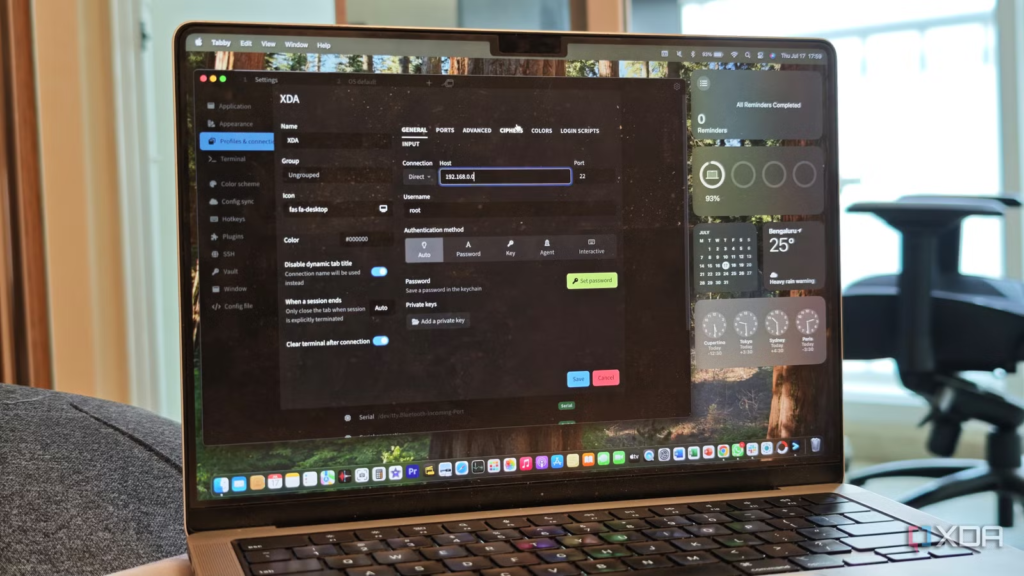
Its primary purpose is to provide encrypted remote access so users can manage systems through a command-line interface.
What Is PuTTY Software Used For?
PuTTY is used whenever someone needs secure remote access to another device.
Some of its most common uses include:
- Connecting to Linux servers
- Managing cloud virtual machines
- Configuring routers and switches
- Accessing web hosting accounts
- Running Linux commands remotely
- Secure file transfer with companion tools
- Testing SSH connections
- Troubleshooting servers
- Managing databases remotely
- Learning Linux administration
Because PuTTY is lightweight and free, it is widely used in businesses, schools, and home laboratories.
The History of PuTTY
PuTTY was created by Simon Tatham in the late 1990s. At that time, Windows did not include a built-in SSH client. Many administrators needed a secure way to connect to Unix and Linux systems.
PuTTY solved that problem by providing an easy-to-use SSH client for Windows.
Over the years, the software has been updated to support modern encryption methods, stronger authentication, improved compatibility, and better security.
Even though Windows now includes OpenSSH support, PuTTY continues to be popular because of its graphical interface, portability, and extensive configuration options.
Why Is PuTTY Still Popular Today?
Technology changes quickly, but PuTTY remains relevant because it offers several advantages.
It is:
- Free to download
- Open-source
- Lightweight
- Fast to launch
- Highly reliable
- Secure
- Compatible with many server types
- Easy for beginners
- Trusted by professionals
- Frequently updated
Many organizations continue using PuTTY because it has a long history of stability and reliability.
How Does PuTTY Work?
PuTTY acts as a bridge between your local computer and a remote system.
Also Read:What Is Hamachi Software? The Complete Beginner’s Guide to Secure Virtual Networking
The process usually works like this:
- You enter the remote server’s IP address or hostname.
- You choose the connection protocol.
- PuTTY starts the connection.
- Authentication begins.
- After successful login, you receive command-line access.
- Commands you type are executed on the remote machine.
- Results appear instantly in the PuTTY window.
When SSH is used, all communication is encrypted before being transmitted across the network.
This encryption helps protect:
- Passwords
- Commands
- Server information
- Sensitive business data
- Login credentials
Understanding SSH
SSH stands for Secure Shell.
SSH is the most common protocol used with PuTTY.
Instead of sending data in plain text, SSH encrypts everything before transmission.
Benefits include:
- Secure authentication
- Data encryption
- Identity verification
- Protection against eavesdropping
- Secure remote administration
SSH has largely replaced older protocols like Telnet because it offers much stronger security.
Protocols Supported by PuTTY
One reason PuTTY remains useful is that it supports several connection methods.
SSH (Secure Shell)
SSH is the recommended protocol.
It provides:
- Strong encryption
- Secure authentication
- Data integrity
- Safe remote administration
Most Linux servers use SSH.
Telnet
Telnet is an older protocol.
Unlike SSH, it does not encrypt data.
It is mainly used today for:
- Legacy systems
- Network testing
- Educational purposes
Because it lacks encryption, it should not be used for sensitive connections over public networks.
Serial Connection
Serial communication is widely used when configuring:
- Routers
- Switches
- Firewalls
- Embedded devices
- IoT hardware
Many network engineers use PuTTY through a USB-to-serial cable during the initial setup of networking equipment.
Rlogin
Rlogin is an older remote login protocol.
It has mostly been replaced by SSH due to security improvements.
Some legacy environments still support it.
Raw Socket Connections
PuTTY can also create raw TCP connections for advanced networking tasks.
Developers and network engineers sometimes use this feature for testing applications and network services.
Main Features of PuTTY
PuTTY includes many useful features despite its small size.
Simple User Interface
The interface is clean and easy to understand.
Users only need to enter:
- Hostname
- IP address
- Port number
- Connection type
Then they can connect with a single click.
Session Saving
One useful feature is session management.
Instead of entering server information every time, users can save connection settings.
Saved sessions make reconnecting much faster.
SSH Key Authentication
PuTTY supports public-key authentication.
Instead of using passwords every time, users can log in securely using cryptographic keys.
This approach provides:
- Better security
- Faster login
- Reduced password exposure
Terminal Customization
Users can customize many settings, including:
- Fonts
- Colors
- Window size
- Cursor behavior
- Keyboard options
- Character encoding
These options improve readability and user comfort.
Logging
PuTTY can record terminal sessions.
Logs help users:
- Troubleshoot errors
- Audit activities
- Document server changes
- Review previous commands
Port Forwarding
PuTTY supports SSH tunneling through port forwarding.
This feature allows secure access to services that may not be directly exposed to the internet.
Administrators often use it to securely connect to internal applications and databases.
PuTTY Companion Tools
PuTTY is actually part of a collection of useful utilities.
PuTTYgen
PuTTYgen creates SSH key pairs.
Users can generate:
- RSA keys
- ECDSA keys
- Ed25519 keys
- Other supported key types
SSH keys provide stronger authentication than passwords in many environments.
PSCP
PSCP is a secure command-line file transfer utility.
It allows users to copy files between local and remote systems over SSH.
PSFTP
PSFTP provides secure FTP functionality using SSH.
Users can:
- Upload files
- Download files
- Rename files
- Delete files
- Navigate remote directories
Plink
Plink is a command-line interface for PuTTY.
It allows automation through scripts and batch files.
Many administrators use Plink for repetitive server management tasks.
How to Install PuTTY on Windows
Installing PuTTY is straightforward.
Step 1
Download the installer from the official PuTTY website.
Always avoid downloading software from unofficial websites to reduce security risks.
Step 2
Run the installer.
Step 3
Accept the installation options.
Step 4
Complete the installation.
Step 5
Launch PuTTY.
Within a few minutes, the application is ready for use.
Understanding the PuTTY Interface
When PuTTY starts, users see a simple configuration window.
Important sections include:
Host Name
This is the server’s domain name or IP address.
Example:
192.168.1.100
or
example.com
Port
The default SSH port is:
22
Different services may use different ports.
Connection Type
Users can choose:
- SSH
- Telnet
- Serial
- Rlogin
- Raw
SSH is usually the best option.
Saved Sessions
Frequently used servers can be saved for future use.
This saves time and reduces typing errors.
Common Real-World Uses of PuTTY
PuTTY is useful across many industries.
Linux Server Administration
Administrators manage Linux servers without being physically present.
Typical tasks include:
- Installing software
- Updating packages
- Restarting services
- Managing users
- Viewing logs
Cloud Computing
Cloud providers usually give users SSH access instead of graphical desktops.
PuTTY allows Windows users to connect to cloud virtual machines securely.
Examples include:
- AWS EC2 instances
- Microsoft Azure virtual machines
- Google Cloud Compute Engine
Network Device Configuration
Network engineers commonly configure:
- Cisco routers
- Juniper switches
- Firewalls
- Wireless controllers
Many of these devices are managed through command-line interfaces.
Web Hosting Management
Website owners often use PuTTY to:
- Deploy websites
- Manage files
- Configure web servers
- Restart applications
- Install updates
Software Development
Developers use PuTTY for:
- Accessing development servers
- Testing applications
- Running scripts
- Monitoring logs
- Managing Git repositories hosted on Linux servers
Cybersecurity
Security professionals use PuTTY when:
- Performing penetration testing (with authorization)
- Auditing servers
- Reviewing logs
- Checking system configurations
- Managing secure remote environments
Who Uses PuTTY?
PuTTY serves a wide range of users, including:
- System administrators
- Network engineers
- Linux users
- Cloud engineers
- DevOps professionals
- Software developers
- Database administrators
- Web hosting companies
- IT support specialists
- Cybersecurity analysts
- Computer science students
- Technology enthusiasts
Its flexibility makes it suitable for both beginners and experienced professionals.
Advanced Features of PuTTY
PuTTY may look simple at first, but it includes many advanced features that make it a powerful tool for IT professionals. These features help users work more efficiently while maintaining secure remote connections.
SSH Tunneling
SSH tunneling, also called port forwarding, allows you to create an encrypted path between your computer and a remote server. This feature protects sensitive data when accessing internal services.
Common uses include:
- Secure database connections
- Accessing private web applications
- Encrypting traffic over public Wi-Fi
- Secure remote desktop access
Keep-Alive Messages
Sometimes a network connection becomes inactive and disconnects automatically. PuTTY can send keep-alive packets to prevent the session from timing out.
This feature is especially useful for:
- Long server maintenance tasks
- Software installations
- Remote monitoring
- Database administration
Session Profiles
If you connect to multiple servers every day, you can create separate session profiles.
Each saved profile can include:
- Server address
- Port number
- Username
- Window settings
- Colors
- Fonts
- SSH keys
This saves time and reduces mistakes.
Auto Login Usernames
PuTTY allows users to store a default username inside a saved session. After connecting, only the password or SSH key authentication is required.
Clipboard Support
Copying and pasting commands is simple. Users can:
- Copy terminal output
- Paste Linux commands
- Save configuration information
- Share logs with team members
This feature improves productivity and reduces typing errors.
How Secure Is PuTTY?
One of the biggest reasons people choose PuTTY is its focus on secure communication.
When configured correctly, PuTTY provides a high level of security.
Security features include:
- SSH encryption
- Host key verification
- Public key authentication
- Secure password authentication
- Session encryption
- Support for modern cryptographic algorithms
However, security also depends on the user. Weak passwords or poor server configuration can still create risks.
Best Security Practices When Using PuTTY
Following good security habits helps protect your systems and data.
Always Use SSH
Avoid Telnet whenever possible because it sends information without encryption.
Also Read: What Is GIMP Software? The Complete Beginner’s Guide to Features, Benefits, Uses, and More
SSH encrypts all communication.
Verify Host Keys
The first time you connect to a server, PuTTY displays its host key fingerprint.
Verify this fingerprint with your server administrator before accepting it.
This helps prevent man-in-the-middle attacks.
Use Strong Passwords
If password authentication is enabled, use:
- Long passwords
- Unique passwords
- Password managers
Avoid reusing passwords across different servers.
Use SSH Keys
SSH keys are generally safer than passwords.
Benefits include:
- Better protection
- Faster login
- Reduced password theft risk
Keep PuTTY Updated
Software updates often include:
- Security improvements
- Bug fixes
- Better compatibility
- Performance enhancements
Installing the latest version helps protect against known vulnerabilities.
Download from Official Sources
Only download PuTTY from its official website or trusted software repositories.
Unofficial downloads may contain modified or malicious files.
Advantages of PuTTY
PuTTY has remained popular for many years because it offers several important benefits.
Free to Use
There are no licensing costs.
Individuals, schools, businesses, and organizations can use PuTTY without purchasing expensive software.
Lightweight
PuTTY requires very little storage space.
It launches quickly even on older computers.
Reliable
Millions of users have relied on PuTTY for decades.
Its stability makes it suitable for professional environments.
Easy to Learn
The interface is simple enough for beginners while offering advanced options for experienced users.
Multiple Protocol Support
PuTTY supports several connection types, including:
- SSH
- Telnet
- Serial
- Rlogin
- Raw TCP
Portable Version
A portable edition allows users to run PuTTY without installing it on the computer.
This is useful for IT technicians who work on different machines.
Disadvantages of PuTTY
Although PuTTY is an excellent tool, it does have some limitations.
Command-Line Interface
New users may find command-line environments intimidating compared to graphical interfaces.
Learning basic Linux commands takes time.
Windows Focus
PuTTY was originally designed for Windows.
Linux and macOS already include built-in SSH clients, so many users on those systems do not need PuTTY.
No Built-In Graphical File Browser
File transfers require companion tools such as PSCP or PSFTP instead of a drag-and-drop interface.
Limited Modern Design
PuTTY focuses on functionality rather than appearance.
Its interface has changed very little over the years.
PuTTY vs OpenSSH
Many users wonder whether they should use PuTTY or OpenSSH.
PuTTY
Best for:
- Windows users
- Beginners
- Saved graphical sessions
- Easy configuration
- Portable use
OpenSSH
Best for:
- Linux
- macOS
- Modern Windows installations
- Command-line automation
- Built-in operating system integration
Both provide secure SSH connections.
The best choice depends on your workflow and operating system.
PuTTY vs Windows Terminal
Windows Terminal has become increasingly popular.
Here is a simple comparison.
PuTTY
- Specialized SSH client
- Lightweight
- Extensive SSH settings
- Saved connection profiles
- Excellent serial support
Windows Terminal
- Modern interface
- Multiple tabs
- Supports PowerShell
- Supports Command Prompt
- Supports WSL
- Can use OpenSSH
Many professionals use both tools together.
Common PuTTY Errors and How to Fix Them
Network Error: Connection Refused
Possible causes:
- SSH service is not running.
- Wrong port number.
- Firewall blocking access.
- Incorrect IP address.
Solution:
Check that the server is online and SSH is enabled.
Connection Timed Out
Possible causes:
- Internet connection problems
- Firewall restrictions
- Server offline
Solution:
Verify the network and confirm the server is reachable.
Access Denied
Possible causes:
- Wrong username
- Wrong password
- Invalid SSH key
Solution:
Double-check your login credentials and permissions.
Host Key Warning
This message appears when a server’s identity changes.
Possible reasons include:
- Server reinstallation
- New SSH keys
- Security attack
- Wrong server address
Never ignore unexpected host key changes. Verify them before proceeding.
Tips for Beginners Using PuTTY
If you are just starting with PuTTY, these tips can make learning easier.
- Learn basic Linux commands.
- Practice on a test server.
- Save frequently used sessions.
- Keep backups of SSH keys.
- Avoid copying unknown commands from the internet.
- Read server documentation before making changes.
- Log your sessions when troubleshooting problems.
Common Linux Commands Used in PuTTY
After connecting to a Linux server, users often run commands like:
pwd
Displays the current directory.
ls
Lists files and folders.
cd
Changes directories.
mkdir
Creates a new folder.
rm
Deletes files.
cp
Copies files.
mv
Moves or renames files.
cat
Displays file contents.
top
Shows running processes.
sudo
Runs commands with administrative privileges.
Learning these commands helps users become more comfortable managing Linux systems through PuTTY.
When Should You Use PuTTY?
PuTTY is a great choice if you:
- Use Windows and need SSH access.
- Manage Linux servers.
- Configure routers or switches.
- Connect to cloud virtual machines.
- Need serial communication.
- Want a lightweight and reliable SSH client.
- Are learning networking or Linux administration.
When Might Another Tool Be Better?
Another tool may suit your needs if you:
- Prefer a modern interface with multiple tabs.
- Primarily use Linux or macOS, which already include OpenSSH.
- Need advanced terminal customization or integrated development features.
- Want built-in graphical file transfer capabilities.
The right tool depends on your operating system, workflow, and personal preferences.
Also Read: What Is Framework in Software? A Complete Beginner’s Guide to Software Frameworks
Future of PuTTY
Despite newer terminal applications entering the market, PuTTY continues to be actively maintained and trusted by professionals.
Several trends suggest it will remain useful:
- Continued reliance on SSH for secure remote administration
- Growth of cloud infrastructure
- Expansion of Linux servers
- Increasing cybersecurity awareness
- Ongoing support from its development community
While Windows has improved its native SSH support, PuTTY’s simplicity, portability, and familiar interface ensure it remains an important tool for many users.
Frequently Asked Questions
Is PuTTY software free?
Yes. PuTTY is free and open-source software. Individuals and organizations can use it without paying licensing fees.
Is PuTTY safe to use?
Yes, when downloaded from the official source and used with SSH, PuTTY is considered safe and secure.
Can PuTTY connect to Linux servers?
Yes. Connecting to Linux servers over SSH is one of PuTTY’s primary purposes.
Does PuTTY work on Windows 11?
Yes. PuTTY works on Windows 11 as well as many earlier versions of Windows.
Can PuTTY transfer files?
Yes. While the main application focuses on terminal access, companion utilities such as PSCP and PSFTP support secure file transfers.
Do I need PuTTY if Windows already has SSH?
Not necessarily. Windows includes OpenSSH, but many users still prefer PuTTY because of its graphical interface, saved sessions, serial support, and extensive configuration options.
Can beginners learn PuTTY easily?
Yes. Its simple interface makes it approachable, especially when paired with basic Linux command knowledge.
Does PuTTY require an internet connection?
Not always. PuTTY can connect over local networks and through serial connections without internet access. Internet connectivity is only required when connecting to remote systems over the internet.
Can PuTTY be used for networking equipment?
Yes. Network engineers commonly use PuTTY to configure routers, switches, firewalls, and other network devices through SSH or serial connections.
What industries commonly use PuTTY?
PuTTY is widely used in information technology, cloud computing, software development, cybersecurity, education, telecommunications, and web hosting.
Conclusion
PuTTY remains one of the most dependable tools for secure remote access. Its combination of simplicity, reliability, and support for industry-standard protocols has made it a favorite among system administrators, developers, network engineers, and students for many years.
If you were wondering, “What is PuTTY software?” the answer is straightforward: it is a free terminal emulator and SSH client that enables secure connections to remote computers, servers, and networking devices. Whether you are managing a Linux server, configuring a router, accessing a cloud virtual machine, or learning command-line administration, PuTTY provides the tools needed to work efficiently and securely.
As technology continues to evolve, PuTTY remains relevant because it focuses on doing one job exceptionally well—providing secure, dependable remote access. For Windows users in particular, it continues to be an excellent choice for anyone who needs a trusted SSH client with powerful features, flexible configuration options, and a proven track record.

