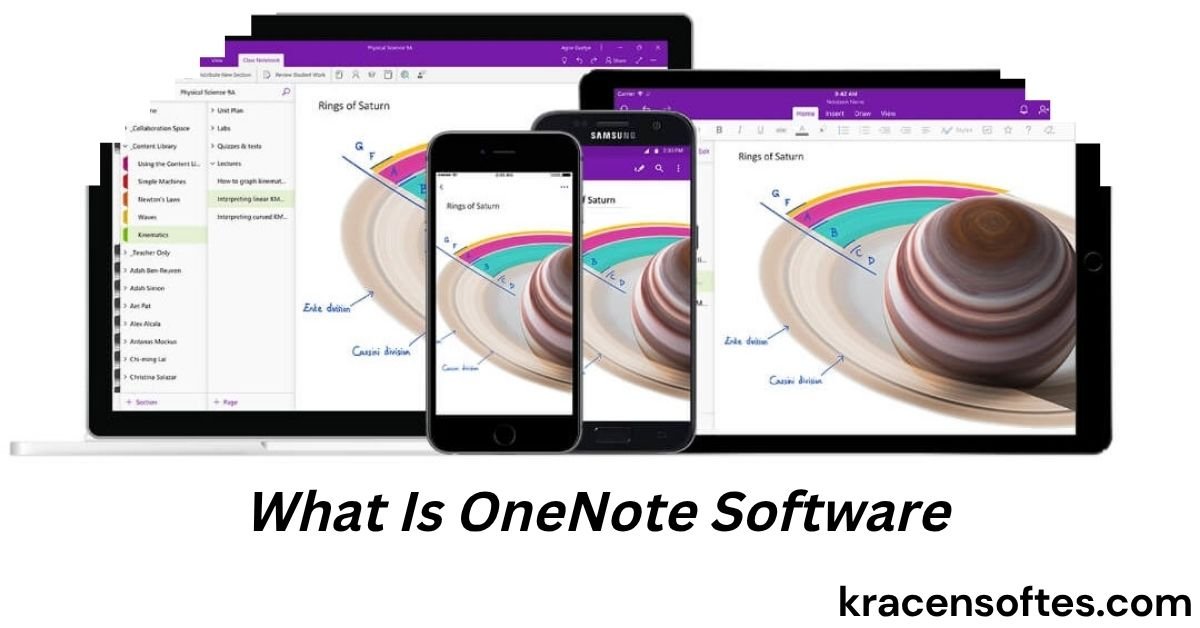
If you have ever searched for a simple way to organize notes, save ideas, manage school work, or keep business information in one place, you may have heard about Microsoft OneNote. Many people ask the same question: what is OneNote software and why is it so popular?
OneNote is a digital notebook application created by Microsoft. It helps users collect notes, images, checklists, files, voice recordings, web links, and many other types of information inside organized notebooks. Instead of writing notes on paper or saving random documents across devices, OneNote keeps everything together in one system.
Today, OneNote is used by students, teachers, office workers, writers, researchers, business owners, and everyday users. It works across computers, phones, tablets, and web browsers, making it one of the most flexible note-taking apps available.
In this detailed guide, you will learn exactly what is OneNote software, how it works, its key features, benefits, disadvantages, pricing, best use cases, comparisons with competitors, and expert tips for using it effectively in 2026.
What Is OneNote Software?
OneNote is a cloud-based digital notebook software developed by Microsoft. It allows users to create and organize notes in notebooks, sections, and pages.
Think of it like a real notebook, but smarter and more powerful.
Inside OneNote, users can:
- Write text notes
- Draw sketches
- Add images
- Save web pages
- Record audio
- Create to-do lists
- Attach files
- Collaborate with teams
- Sync notes across devices
The software is part of the Microsoft ecosystem and works closely with tools like Microsoft Word, Microsoft Excel, Microsoft Outlook, and Microsoft Teams.
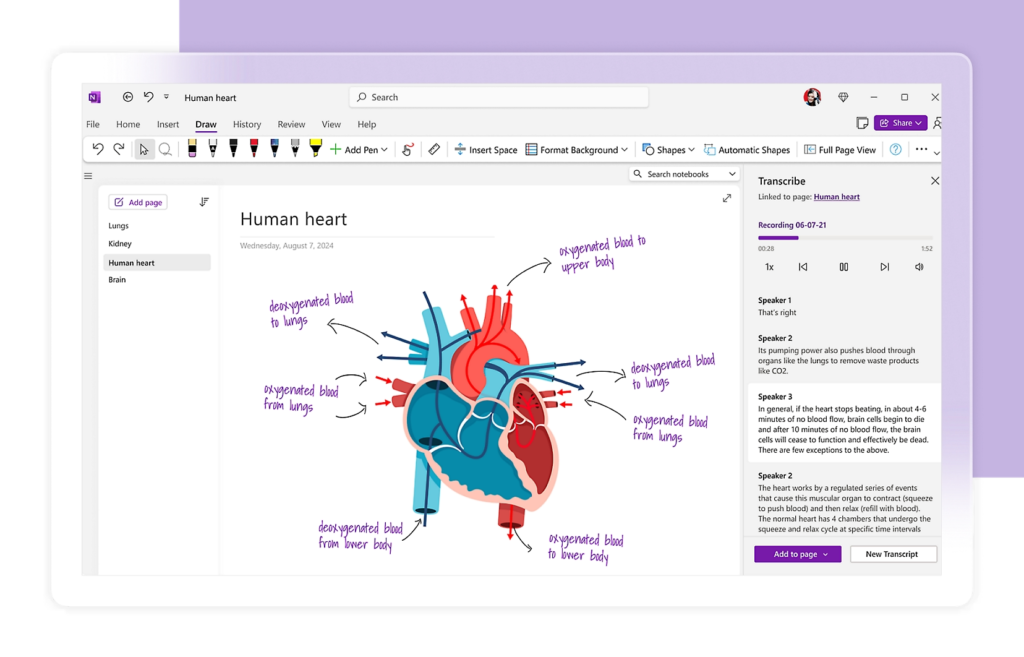
Unlike traditional note apps that use simple text formats, OneNote offers a free-form workspace. You can click anywhere on a page and start typing, drawing, or inserting content.
This flexibility is one of the main reasons why people search for what is OneNote software and how it differs from other note-taking applications.
History of OneNote Software
OneNote was first introduced by Microsoft in 2003. Over time, it evolved from a basic note-taking application into a powerful productivity platform.
Important milestones include:
OneNote 2003
The first version focused on digital note organization for Windows users.
OneNote 2007
Microsoft improved handwriting recognition and search capabilities.
OneNote 2010
Cloud synchronization became more advanced with Microsoft’s online services.
OneNote 2016
This version became widely used in schools and businesses.
Modern OneNote
Today, OneNote supports AI tools, cloud syncing, collaboration, mobile integration, and cross-platform access.
Microsoft continues updating OneNote regularly, making it one of the most reliable digital notebook solutions available.
Also Read: What Is Blender Software? Complete Beginner’s Guide to Blender
How Does OneNote Work?
To fully understand what is OneNote software, you must understand its notebook structure.
OneNote uses a hierarchy system similar to physical binders.
Notebook
A notebook is the main container. You can create multiple notebooks for different purposes such as:
- Personal life
- School
- Work
- Travel
- Projects
Sections
Sections act like tabs inside a notebook. For example:
- Meeting Notes
- Homework
- Recipes
- Research
Pages
Pages hold the actual content. Each section can contain many pages.
For example, inside a “Work” notebook:
- Section: Team Meetings
- Page: Monday Meeting Notes
This structure keeps information organized and easy to find.
Main Features of OneNote Software
People often ask what is OneNote software because they want to know why millions of users choose it. The answer lies in its powerful features.
Free-Form Note Taking
Unlike many apps that force users into fixed layouts, OneNote allows you to place text, images, and drawings anywhere on the page.
This creates a more natural note-taking experience.
Cloud Synchronization
OneNote syncs automatically through OneDrive.
Your notes stay updated across:
- Windows PCs
- Macs
- iPhones
- Android devices
- Tablets
- Web browsers
Collaboration Tools
Multiple users can edit the same notebook at the same time.
This is especially useful for:
- Business teams
- School projects
- Family planning
- Shared research
Handwriting Support
OneNote supports digital pens and stylus input.
Users can:
- Draw diagrams
- Write handwritten notes
- Highlight content
- Annotate PDFs
This feature is very popular on tablets.
Audio Recording
You can record lectures, meetings, or interviews directly inside notes.
OneNote even links recordings with written notes for better organization.
Web Clipping
The OneNote Web Clipper lets users save content from websites quickly.
You can save:
- Articles
- Images
- Recipes
- Research
- Screenshots
Powerful Search
OneNote’s search system can find:
- Typed words
- Handwritten notes
- Text inside images
- Audio references
This makes retrieving information much easier.
Tags and To-Do Lists
Users can organize tasks using tags such as:
- Important
- Question
- To-do
- Reminder
This improves productivity and task management.
Password Protection
Sections can be password protected for privacy and security.
This helps protect sensitive information.
Offline Access
OneNote can work offline and sync later when internet access returns.
This is useful for travel or remote work.
What Devices Support OneNote?
Another common question related to what is OneNote software is device compatibility.
OneNote works on almost every major platform.
Windows
The Windows version offers the most complete feature set.
Mac
Mac users can access most OneNote features smoothly.
iPhone and iPad
The iOS app is optimized for touch and Apple Pencil support.
Android
Android users can create and sync notes easily.
Web Browser
OneNote also works online without installation.
This flexibility makes it ideal for users with multiple devices.
Is OneNote Free?
Yes, OneNote is mostly free.
Microsoft offers a free version with many useful features.
However, premium storage and advanced tools may require a Microsoft 365 subscription.
Free Features Include
- Basic notebooks
- Cloud syncing
- Mobile apps
- Web access
- Collaboration
- Note organization
Microsoft 365 Benefits
Subscribers get additional benefits such as:
- More OneDrive storage
- Better security
- Office app integration
- Advanced collaboration features
For most users, the free version is enough.
Benefits of Using OneNote
Understanding what is OneNote software becomes easier when you see its real-life advantages.
Excellent Organization
OneNote keeps information clean and structured.
You no longer need multiple sticky notes or random documents.
Saves Time
Quick search and synchronization help users find information fast.
Reduces Paper Use
Digital notebooks reduce the need for physical paper notes.
Great for Collaboration
Teams can share ideas and updates instantly.
Flexible Layout
Users can customize pages however they want.
Multi-Device Access
Notes are available anytime from almost any device.
Ideal for Students
Students can organize:
- Class notes
- Assignments
- Research
- Lecture recordings
Strong Integration With Microsoft Tools
OneNote works naturally with the Microsoft ecosystem.
Common Uses of OneNote Software
Many people ask what is OneNote software because they want practical examples.
Here are the most common uses.
School and Education
Students use OneNote for:
- Class notes
- Homework tracking
- Group projects
- Exam preparation
Teachers use it for:
- Lesson planning
- Student collaboration
- Digital classrooms
Business and Office Work
Companies use OneNote for:
- Meeting notes
- Project planning
- Brainstorming
- Team collaboration
Personal Organization
Individuals use OneNote for:
- Grocery lists
- Journals
- Fitness tracking
- Budget planning
- Travel planning
Content Creation
Writers and bloggers use OneNote to organize:
- Article ideas
- Research
- Drafts
- SEO planning
Research and Knowledge Management
Researchers store:
- Web clippings
- PDF notes
- Images
- Data references
OneNote vs Other Note-Taking Apps
To better understand what is OneNote software, it helps to compare it with competitors.
OneNote vs Evernote
Evernote is another major note-taking app.
OneNote Advantages
- Better free plan
- More flexible page design
- Strong Microsoft integration
- Better handwriting support
Evernote Advantages
- Cleaner interface
- Stronger task management
- Better web clipping in some cases
OneNote vs Notion
Notion focuses more on databases and workspace management.
OneNote Advantages
- Easier for beginners
- Better handwriting tools
- Faster note entry
Notion Advantages
- Advanced databases
- Better project management
- More customizable workflows
OneNote vs Google Keep
Google Keep is simpler and lighter.
OneNote Advantages
- More organization features
- Better collaboration
- Rich formatting
Google Keep Advantages
- Simpler interface
- Faster quick notes
OneNote vs Apple Notes
Apple Notes works well inside the Apple ecosystem.
Also Read: What Is Application Software? Complete Guide for Beginners in 2026
OneNote Advantages
- Better cross-platform support
- Stronger collaboration
- More advanced organization
Apple Notes Advantages
- Better for Apple-only users
- Faster synchronization within Apple devices
Who Should Use OneNote?
OneNote is suitable for many types of users.
Students
Excellent for digital learning and research.
Professionals
Useful for meetings, tasks, and planning.
Remote Workers
Supports collaboration and cloud access.
Creators
Helps manage ideas and projects.
Families
Useful for schedules, lists, and shared planning.
Researchers
Great for collecting and organizing information.
How to Start Using OneNote
If you are still asking what is OneNote software and whether it is difficult to use, the answer is simple: beginners can learn it quickly.
Step 1: Download OneNote
Visit Microsoft’s official website or app store.
Step 2: Sign In
Use a Microsoft account.
Step 3: Create a Notebook
Choose a notebook name based on your purpose.
Step 4: Add Sections
Organize content into categories.
Step 5: Create Pages
Start adding notes and information.
Step 6: Sync Across Devices
Enable syncing through OneDrive.
Tips for Using OneNote Effectively
Use Tags Regularly
Tags improve organization and searchability.
Keep Separate Notebooks
Avoid mixing personal and professional content.
Create Templates
Templates save time for repeated tasks.
Use Keyboard Shortcuts
Shortcuts increase productivity.
Sync Frequently
Make sure notes stay updated.
Organize Weekly
Clean old notes and archive unused content.
Add Multimedia
Images, videos, and audio make notes more useful.
Best OneNote Features for Students
Students are among the biggest OneNote users.
Lecture Recording
Record classes while taking notes.
Digital Handwriting
Write naturally using tablets.
Research Collection
Store online resources in one place.
Assignment Organization
Track homework and deadlines.
Team Collaboration
Share notes with classmates.
Best OneNote Features for Businesses
Businesses benefit from collaboration and organization.
Shared Team Notes
Teams can work together in real time.
Meeting Documentation
Store agendas and meeting summaries.
Integration With Microsoft Teams
Connect communication and notes.
Project Planning
Organize project timelines and tasks.
Knowledge Sharing
Create internal knowledge bases.
Security and Privacy in OneNote
Security matters when storing important information.
Microsoft provides several protections.
Encryption
Password-protected sections use encryption.
Cloud Security
OneDrive security protects synchronized notebooks.
Account Protection
Users can enable two-factor authentication.
Permission Controls
Shared notebooks can have limited access.
Limitations of OneNote Software
Although OneNote is powerful, it is not perfect.
Can Become Disorganized
Without proper structure, notebooks may become messy.
Heavy Storage Usage
Large notebooks with media files can consume storage.
Sync Problems Sometimes Occur
Cloud syncing may occasionally fail.
Limited Advanced Task Management
Dedicated project management tools may work better for complex workflows.
Learning Curve for Advanced Features
Some features require practice to master.
What Makes OneNote Different?
Many apps offer note-taking, but OneNote stands out because of its balance between flexibility and organization.
Unlike rigid apps, OneNote feels natural.
Users can:
- Type anywhere
- Draw freely
- Combine media
- Collaborate easily
- Organize deeply
This flexibility is one reason why searches for what is OneNote software continue growing every year.
OneNote and Artificial Intelligence in 2026
Modern OneNote now benefits from AI-powered features.
These tools help users:
- Summarize notes
- Generate meeting insights
- Improve organization
- Search faster
- Create smarter workflows
Microsoft continues integrating AI across its productivity tools, making OneNote more powerful than ever.
Is OneNote Good for SEO Writers and Bloggers?
Yes, many content creators use OneNote daily.
Benefits include:
- Keyword research storage
- Content planning
- Article outlines
- Research collection
- Competitor analysis
- Editorial calendars
Bloggers can keep all content ideas organized in one place.
Can OneNote Replace Paper Notebooks?
For many users, yes.
Digital notebooks offer:
- Better search
- Cloud backup
- Multimedia support
- Collaboration
- Unlimited pages
However, some people still prefer physical writing for certain tasks.
The good news is that OneNote combines both worlds through handwriting support.
Future of OneNote Software
The future looks strong for OneNote.
Expected improvements include:
- Better AI integration
- Faster synchronization
- Smarter search
- Improved collaboration
- Enhanced mobile experiences
As remote work and digital learning continue growing, OneNote will likely remain a major productivity tool.
Expert Analysis: Why OneNote Remains Popular
OneNote succeeds because it solves a real problem.
People struggle with information overload. Notes are scattered across paper, emails, screenshots, apps, and folders.
Also Read: What Is an Operating Software? A Complete Beginner’s Guide to Operating Systems, Features, Types, and Real-World Uses
OneNote creates one central system.
Its flexibility appeals to creative users, while its organization tools help professionals stay productive.
Another important reason for its success is accessibility. Beginners can use it easily, but advanced users can build highly detailed workflows.
Compared to many competitors, OneNote also offers excellent value because the free version is already very capable.
Final Thoughts on What Is OneNote Software
So, what is OneNote software?
It is a powerful digital notebook platform developed by Microsoft that helps users organize information, collaborate with others, and improve productivity across devices.
Whether you are a student, business professional, teacher, creator, or casual user, OneNote offers flexible tools for note-taking and organization.
Its biggest strengths include:
- Cross-platform support
- Free-form note design
- Cloud synchronization
- Collaboration tools
- Multimedia support
- Microsoft integration
Although it has some limitations, OneNote remains one of the best note-taking applications available in 2026.
For users searching for a reliable digital notebook that balances simplicity and advanced features, OneNote is still one of the top choices in the world.
FAQs About What Is OneNote Software
Is OneNote software safe to use?
Yes, OneNote is generally safe. Microsoft uses encryption, cloud security, and account protection features to help secure user data.
Can OneNote work without internet?
Yes, OneNote works offline. Your notes will sync once internet access returns.
Does OneNote support PDF files?
Yes, users can insert, annotate, and organize PDF files inside notebooks.
Can multiple people edit OneNote together?
Yes, shared notebooks allow real-time collaboration between multiple users.
Is OneNote better than paper notebooks?
For organization, search, and collaboration, OneNote offers many advantages over paper notebooks.
Does OneNote automatically save notes?
Yes, OneNote saves changes automatically, reducing the risk of lost work.
Can I use OneNote for daily journaling?
Yes, many users create digital journals inside OneNote.
Does OneNote have storage limits?
Storage depends mainly on your OneDrive account capacity.
Can children use OneNote for school?
Yes, OneNote is widely used in schools because it is beginner-friendly and collaborative.
Is OneNote available on Mac and iPhone?
Yes, OneNote supports Apple devices including Mac, iPhone, and iPad.
Can OneNote store images and videos?
Yes, users can add multimedia files directly into notebooks.
Is OneNote suitable for small businesses?
Yes, small businesses often use OneNote for planning, documentation, and collaboration.
Does OneNote support handwriting recognition?
Yes, OneNote can recognize handwritten text and make it searchable.
Can OneNote replace project management software?
For simple projects, yes. However, advanced project management may require specialized tools.
Why do people search for what is OneNote software?
People search this keyword because they want a reliable, flexible, and easy-to-use digital note-taking solution for personal, educational, or professional use.

