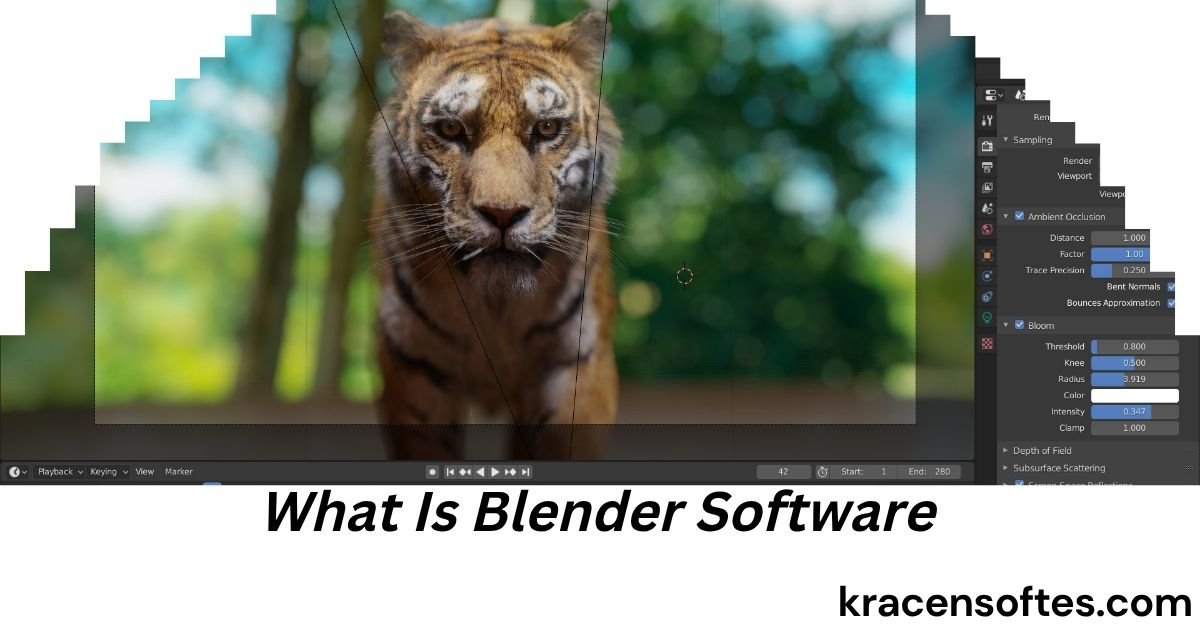
If you are interested in 3D design, animation, gaming, visual effects, or digital art, you may have heard about Blender. Many beginners search online asking, “what is blender software” because they want to know why this tool has become so popular around the world.
Blender is one of the most powerful and flexible 3D creation programs available today. It is used by artists, game developers, video editors, architects, animators, students, and even major studios. The best part is that Blender is completely free and open source, making it accessible to everyone.
In simple words, Blender is software used to create 3D graphics, animations, visual effects, simulations, and digital designs. People use it for movies, games, advertisements, YouTube videos, product designs, architectural visualization, and much more.
This detailed guide will explain everything you need to know about what is blender software, how it works, why it is important, and how beginners can start using it. You will also learn about Blender features, benefits, tools, industries using Blender, career opportunities, and future trends.
What Is Blender Software?
Blender is a free and open-source 3D computer graphics software program used for creating digital content. It allows users to design 3D models, make animations, create visual effects, edit videos, build game assets, and render realistic scenes.
The software was originally created in 1994 and has grown into one of the most advanced 3D creation tools in the world. Blender is maintained by the Blender Foundation and supported by a large global community of developers and artists.
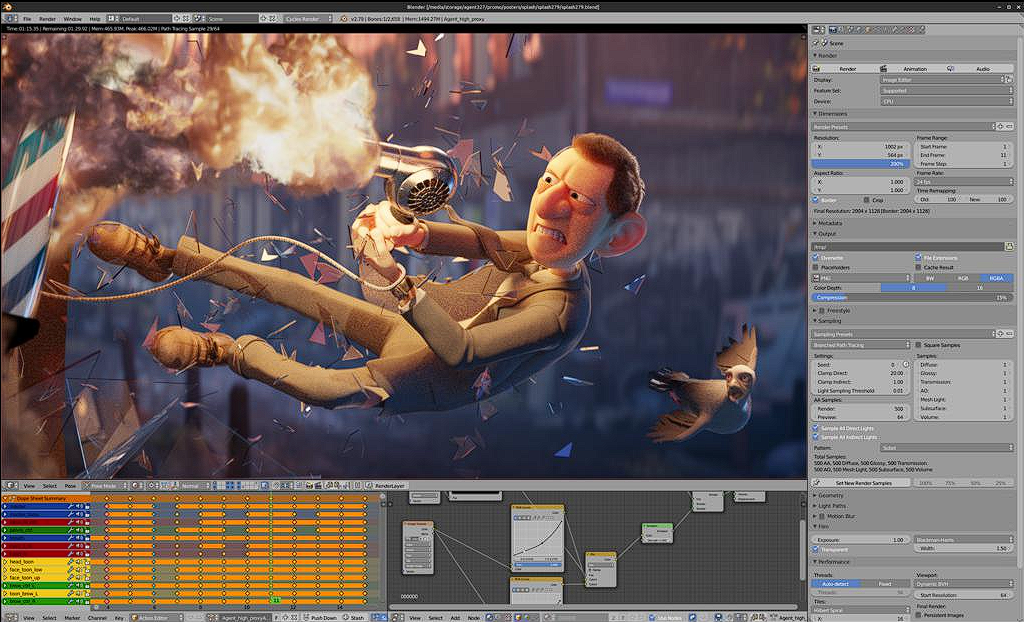
When people ask “what is blender software used for,” the answer is very broad because Blender supports many creative tasks in one application.
Blender can be used for:
- 3D modeling
- Character creation
- Animation
- Motion graphics
- Video editing
- VFX and simulations
- Game development
- Product visualization
- Architecture rendering
- Sculpting
- Texture painting
- Rendering
- Virtual reality content
Unlike many expensive professional 3D programs, Blender gives users advanced features without charging subscription fees.
What Is Blender Used For Software Development and Design?
One common search term online is “what is blender used for software.” This usually refers to understanding how Blender is used in different creative industries and digital workflows.
Blender is not just for artists. It is also useful in software-related environments such as game development, virtual simulations, UI animation, and interactive design.
Developers use Blender for:
- Designing 3D game objects
- Creating animated assets
- Making cinematic cutscenes
- Building VR experiences
- Designing environments for apps
- Producing interactive media
Because Blender supports scripting with Python, developers can automate tasks and create custom tools inside the software.
Also Read: What Is Agile Software Development? A Complete Beginner’s Guide
This flexibility makes Blender valuable for both creative professionals and technical users.
History of Blender Software
To fully understand what is blender software, it helps to know its history.
Blender was first developed by Ton Roosendaal in the Netherlands. Initially, it was created as an in-house tool for animation production. Later, Blender became publicly available.
In 2002, the Blender Foundation launched a campaign to make Blender open source. The campaign successfully raised enough money to release Blender under the GNU General Public License.
Since then, Blender has improved rapidly with support from developers worldwide.
Major milestones include:
Early Blender Development
The first versions focused mainly on basic 3D modeling and animation tools.
Open Source Revolution
After becoming open source, Blender gained massive community support.
Advanced Rendering Features
Modern Blender versions introduced advanced rendering engines like Cycles and Eevee.
Industry Adoption
Today, Blender is used by independent creators, schools, freelancers, and even professional studios.
Main Features of Blender Software
One reason why Blender is so popular is its wide range of features. Blender combines many professional tools into one platform.
3D Modeling
Blender allows users to create detailed 3D models from scratch.
Users can design:
- Characters
- Vehicles
- Buildings
- Furniture
- Products
- Landscapes
The modeling tools are highly flexible and suitable for both beginners and advanced users.
Sculpting
Digital sculpting in Blender works similarly to sculpting clay in real life.
Artists can create detailed characters and creatures with brushes and texture tools.
Animation
Animation is one of Blender’s strongest features.
Users can create:
- Character animations
- Cartoon movies
- Motion graphics
- Product animations
- Walk cycles
- Facial expressions
The software includes rigging tools that help animate characters naturally.
Rendering
Rendering converts 3D scenes into final images or videos.
Blender includes two major rendering engines:
Cycles
Cycles creates realistic lighting and cinematic-quality renders.
Eevee
Eevee provides real-time rendering with faster performance.
Video Editing
Blender also includes a built-in video editor.
Users can:
- Cut clips
- Add transitions
- Insert music
- Apply effects
- Edit YouTube videos
This makes Blender an all-in-one creative platform.
Visual Effects
Blender supports advanced VFX production.
Artists can create:
- Smoke simulations
- Fire effects
- Explosions
- Water simulations
- Green screen compositing
Texture Painting
Texture painting allows artists to paint directly on 3D models.
This feature helps create realistic materials and designs.
Geometry Nodes
Geometry Nodes is one of Blender’s newest and most powerful systems.
It allows procedural creation of objects using node-based workflows.
This feature is especially popular for motion graphics and environment generation.
Why Blender Is So Popular
Many people searching “what is blender software” also want to know why Blender became so famous.
Several reasons explain its popularity.
Completely Free
Blender costs nothing to download or use.
There are no hidden charges or subscriptions.
Open Source Community
Thousands of developers continuously improve Blender.
Users also create tutorials, plugins, and free resources.
Professional-Level Tools
Blender provides features found in expensive software programs.
Works on Multiple Platforms
Blender works on:
- Windows
- macOS
- Linux
Strong Learning Resources
There are countless free tutorials online for beginners.
Fast Updates
Blender receives regular updates with new features and improvements.
Industries That Use Blender Software
Blender is now used across many industries.
Gaming Industry
Game developers use Blender for:
- Character creation
- Environment modeling
- Asset creation
- Animation
Many indie game studios rely on Blender because it is affordable.
Film and Animation Industry
Blender is used to create animated films and visual effects.
Several independent movies have been fully produced using Blender.
Architecture Industry
Architects use Blender to create realistic building visualizations and interior designs.
Product Design
Companies use Blender to create product prototypes and marketing visuals.
Education
Schools and universities teach Blender because it is free and accessible.
Advertising and Marketing
Brands use Blender for animated advertisements and motion graphics.
Advantages of Blender Software
Understanding the advantages helps answer the question “what is blender software used for.”
Cost Savings
Blender helps creators avoid expensive software costs.
All-in-One Solution
Users can model, animate, render, and edit videos in one application.
Large Community Support
The Blender community provides tutorials, plugins, forums, and free assets.
Frequent Improvements
Blender evolves quickly through regular updates.
Customization
Users can customize layouts, shortcuts, and workflows.
Powerful Rendering
Blender produces high-quality visuals suitable for professional projects.
Disadvantages of Blender Software
Although Blender is excellent, it also has some challenges.
Steep Learning Curve
Beginners may initially feel overwhelmed by the interface.
Hardware Requirements
Complex projects require powerful computers.
Different Workflow
Users switching from other 3D software may need time to adjust.
Professional Studio Compatibility
Some large studios still rely on industry-standard tools like Maya or 3ds Max.
However, Blender’s popularity continues growing rapidly.
Blender Interface Explained
Many beginners searching “what is blender software” worry about the interface.
The Blender interface may look complex at first, but it becomes easier with practice.
Viewport
The viewport is the main area where users create and edit 3D objects.
Toolbar
The toolbar contains modeling and editing tools.
Timeline
The timeline is used for animation and keyframes.
Outliner
The outliner organizes objects in the scene.
Properties Panel
This section controls materials, lighting, modifiers, and render settings.
How Blender Works
Blender works through a digital 3D workflow.
Step 1: Modeling
Users create 3D shapes and objects.
Step 2: Texturing
Materials and colors are applied.
Step 3: Lighting
Lights are added to improve realism.
Step 4: Animation
Objects and characters are animated.
Step 5: Rendering
Final images or videos are generated.
Step 6: Editing
Video editing and compositing complete the project.
Blender for Beginners
Blender is beginner-friendly if users learn step by step.
Start With Basic Tutorials
Simple tutorials help users understand navigation and controls.
Practice Daily
Small daily practice sessions improve skills faster.
Learn Keyboard Shortcuts
Shortcuts save time and improve workflow efficiency.
Join Blender Communities
Forums and online groups provide support and inspiration.
Build Simple Projects
Beginners should start with simple objects before creating advanced scenes.
What Is Blender Software Used For in Real Life?
Many beginners wonder how Blender is actually used professionally.
Here are real-world examples.
YouTube Content Creation
Creators use Blender for intros, animations, and visual effects.
Video Game Assets
Developers build characters and environments.
Architectural Visualization
Architects show realistic building previews to clients.
NFT and Digital Art
Artists create unique digital collectibles and 3D artwork.
Social Media Marketing
Brands create animated advertisements and product showcases.
Educational Content
Teachers create interactive learning visuals.
Blender vs Other 3D Software
Understanding comparisons helps explain what is blender software and why it matters.
Blender vs Maya
Maya is widely used in large film studios.
Blender is free and more accessible for beginners.
Blender vs 3ds Max
3ds Max is popular in architecture and game design.
Blender offers similar capabilities without subscription costs.
Blender vs Cinema 4D
Cinema 4D is known for motion graphics.
Blender now competes strongly with its modern tools.
Blender vs Houdini
Houdini specializes in advanced simulations.
Blender is more beginner-friendly and affordable.
Blender Rendering Engines
Rendering is one of Blender’s most important functions.
Cycles Renderer
Cycles provides realistic lighting and ray tracing.
It is ideal for cinematic scenes and product visualization.
Eevee Renderer
Eevee is fast and optimized for real-time rendering.
It works well for animations and previews.
Blender Add-ons and Plugins
Blender supports add-ons that expand functionality.
Popular add-ons include:
- Hard Ops
- Animation Nodes
- RetopoFlow
- BlenderKit
- Auto-Rig Pro
Add-ons improve workflow efficiency and creative options.
Blender for Animation
Animation is one of Blender’s strongest areas.
Blender supports:
- 2D animation
- 3D animation
- Motion tracking
- Facial animation
- Rigging systems
The Grease Pencil tool even allows artists to combine 2D and 3D animation.
Blender for Game Development
Game developers increasingly use Blender.
Asset Creation
Developers create game objects and environments.
Character Design
Characters can be modeled and rigged for animation.
Texture Baking
Textures are optimized for game engines.
Export Compatibility
Blender supports export to:
- Unity
- Unreal Engine
- Godot
Blender for Architecture
Architectural visualization has become a major Blender use case.
Architects can create:
- House designs
- Interior layouts
- Exterior renders
- Walkthrough animations
Blender helps clients visualize projects before construction.
Blender for VFX and Simulations
Visual effects are another important Blender feature.
Users can create:
- Water simulations
- Smoke effects
- Cloth movement
- Particle systems
- Destruction effects
These tools help filmmakers create realistic scenes.
Blender for Freelancers
Freelancers use Blender for online work opportunities.
Popular freelance services include:
- 3D logo animation
- Product rendering
- Character modeling
- Social media animation
- Architectural rendering
Platforms like Fiverr and Upwork have growing demand for Blender artists.
Blender Career Opportunities
Learning Blender can lead to many career paths.
3D Artist
Creates models and environments.
Animator
Builds animated characters and scenes.
Motion Graphics Designer
Designs animated marketing visuals.
Game Artist
Creates game assets and characters.
Architectural Visualizer
Produces realistic building presentations.
VFX Artist
Creates digital effects for films and videos.
Is Blender Good for Beginners?
Yes, Blender is excellent for beginners.
Even though the interface can look difficult initially, the software offers huge learning potential.
Beginners benefit because:
- Blender is free
- Tutorials are widely available
- The community is supportive
- Skills are highly valuable
Many professional artists started learning Blender from home without formal education.
Blender System Requirements
To run Blender smoothly, users need a capable computer.
Also Read: What Can a Software Engineer Do? Complete Career Guide for 2026
Minimum Requirements
- 64-bit processor
- 8 GB RAM
- Modern graphics card
- SSD storage recommended
Recommended Requirements
- 16 GB or more RAM
- Dedicated GPU
- Multi-core processor
Better hardware improves rendering speed and workflow performance.
Blender Community and Learning Resources
The Blender community is one of the software’s greatest strengths.
YouTube Tutorials
Thousands of free tutorials are available.
Blender Market
Users can buy assets, models, and plugins.
Online Courses
Professional Blender training is available online.
Forums and Discord Servers
Communities help beginners solve problems quickly.
Future of Blender Software
The future of Blender looks very strong.
The software continues gaining industry recognition.
Future trends include:
- AI-assisted workflows
- Faster rendering
- Better real-time graphics
- Improved simulations
- Stronger game engine integration
- More studio adoption
As technology evolves, Blender is expected to become even more important in digital content creation.
Common Mistakes Beginners Make in Blender
Trying Advanced Projects Too Early
Beginners should start with basic modeling exercises.
Ignoring Shortcuts
Keyboard shortcuts improve productivity dramatically.
Skipping Fundamentals
Understanding modeling basics is essential.
Using Weak Hardware
Complex scenes require good system performance.
Comparing Too Much
Progress takes time and regular practice.
Tips to Learn Blender Faster
Practice Every Day
Consistency is more important than long sessions.
Follow Structured Tutorials
Step-by-step lessons build strong foundations.
Recreate Real Objects
This improves modeling accuracy.
Join Challenges
Community challenges encourage growth.
Experiment Freely
Trying new techniques increases creativity.
Why Businesses Use Blender
Companies choose Blender because it offers professional results without high software costs.
Businesses benefit from:
- Lower expenses
- Flexible workflows
- Fast content production
- Cross-platform support
- Open-source customization
This makes Blender attractive for startups and small studios.
Blender in Education and Schools
Many schools now teach Blender in:
- Graphic design courses
- Animation programs
- Game development classes
- Architecture training
Because Blender is free, students can continue practicing at home.
Final Thoughts on What Is Blender Software
So, what is blender software?
Blender is a powerful, free, and open-source 3D creation software used for modeling, animation, rendering, visual effects, video editing, game development, and digital design.
It has transformed the creative industry by giving everyone access to professional-quality tools without expensive subscriptions.
Whether you want to become a 3D artist, animator, game developer, architect, or digital creator, Blender offers an incredible platform to build valuable skills.
The software may seem challenging at first, but with regular practice and patience, beginners can create amazing projects.
As technology continues advancing, Blender’s role in digital creativity will likely grow even more in the future.
If you are searching for a creative skill with long-term opportunities, learning Blender could be one of the best decisions you make.
FAQs About What Is Blender Software
Is Blender software really free?
Yes, Blender is completely free and open source. Users can download and use it without paying subscription fees.
What is blender software used for mostly?
Blender is mostly used for 3D modeling, animation, rendering, game asset creation, visual effects, and digital art.
Can beginners learn Blender easily?
Yes, beginners can learn Blender with tutorials and regular practice. The learning curve may feel difficult at first, but it becomes easier over time.
Is Blender better than paid 3D software?
Blender offers many professional features comparable to paid software. The best choice depends on project needs and personal workflow preferences.
Can Blender run on low-end PCs?
Blender can run on lower-end computers for simple tasks, but complex rendering and simulations work better on powerful systems.
Does Blender support animation?
Yes, Blender includes advanced animation tools for character animation, motion graphics, and cinematic scenes.
Is Blender good for game development?
Yes, Blender is excellent for creating game assets, characters, environments, and animations for modern game engines.
Can Blender be used for video editing?
Yes, Blender includes a built-in video editor that supports cutting, transitions, effects, and audio editing.
What programming language does Blender use?
Blender supports Python scripting for automation and custom tools.
Is Blender used professionally?
Yes, many freelancers, studios, designers, and content creators use Blender professionally around the world.
Can Blender create realistic graphics?
Yes, Blender can create highly realistic images and animations using advanced rendering engines like Cycles.
How long does it take to learn Blender?
Basic skills may take a few weeks, while professional-level mastery can take months or years depending on practice and goals.
Is Blender good for animation movies?
Yes, Blender is widely used for animated films, short movies, and cinematic visual effects.
What industries use Blender software?
Industries using Blender include gaming, film production, architecture, education, advertising, product design, and digital marketing.
Do I need drawing skills to use Blender?
No, drawing skills are helpful but not required. Many successful Blender artists focus mainly on 3D workflows and technical creativity.

