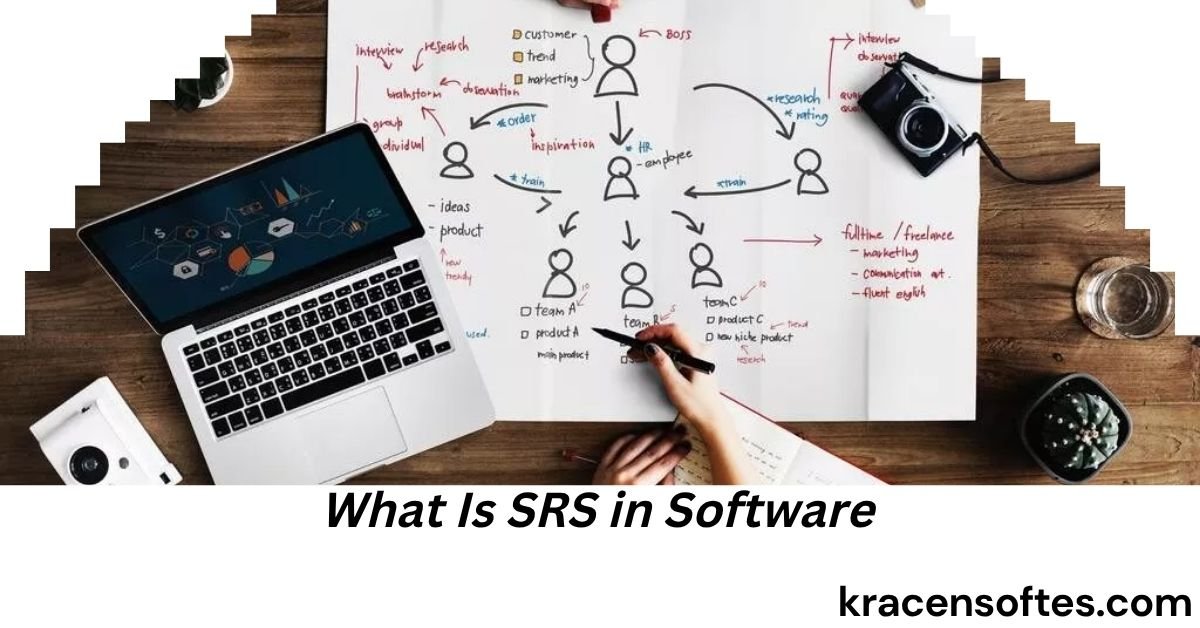
If you are new to software development, you may have heard people asking, “what is srs in software?” Understanding SRS is important because it serves as the foundation of every successful software project. Whether a company is building a mobile application, website, enterprise platform, healthcare system, banking solution, or e-commerce store, a Software Requirements Specification (SRS) document helps ensure everyone involved understands exactly what needs to be developed.
Many software projects fail because of poor communication, unclear expectations, changing requirements, and misunderstandings between stakeholders and developers. An SRS document helps reduce these problems by providing a clear roadmap for the entire development process.
In modern software engineering, SRS remains one of the most important project documents. It helps project managers, developers, testers, business analysts, clients, and stakeholders stay aligned throughout the software development lifecycle.
This comprehensive guide explains what is srs in software, why it matters, how it is created, what it contains, and how organizations use it to build successful software products.
What Is SRS in Software?
The answer to “what is srs in software” is simple.
SRS stands for Software Requirements Specification. It is a detailed document that describes all functional and non-functional requirements of a software system before development begins.
The document acts as an agreement between stakeholders and the development team. It clearly defines what the software should do, how it should perform, and the constraints that must be followed during development.

An SRS document eliminates confusion by documenting every requirement in an organized manner.
In simple terms, SRS answers questions such as:
- What problem will the software solve?
- What features should be included?
- Who will use the software?
- How should the software perform?
- What security measures are required?
- What technical limitations exist?
- What business goals must be achieved?
Without a properly written SRS, software projects often experience delays, budget overruns, and quality issues.
What Is an SRS in Software Engineering?
Many people ask, “what is an srs in software engineering?”
In software engineering, SRS is a formal document that captures all software requirements before coding begins. It serves as the primary reference for developers, testers, project managers, and stakeholders throughout the project lifecycle.
Software engineers use the SRS to understand system behavior, user expectations, technical requirements, and business objectives.
ALso Read: What Is Open Source Software? A Complete Guide to Understanding Open Source Software in 2026
The document provides a structured approach to software planning and ensures every requirement is clearly documented and approved before implementation.
In software engineering practices, SRS plays a critical role in:
- Requirement gathering
- Project planning
- Design development
- Coding
- Testing
- Deployment
- Maintenance
A well-prepared SRS reduces uncertainty and improves project success rates.
What Is SRS Document in Software Engineering?
Another common question is, “what is srs document in software engineering?”
An SRS document in software engineering is a formal written specification that describes software requirements in detail.
It includes:
- Project overview
- System objectives
- Functional requirements
- Non-functional requirements
- User requirements
- System constraints
- External interfaces
- Security requirements
- Performance requirements
- Acceptance criteria
The purpose of the document is to create a shared understanding between all project participants.
Think of the SRS document as a blueprint for software development. Just as architects use blueprints before constructing buildings, software teams use SRS documents before writing code.
What Is SRS in Software Development?
The phrase “what is srs in software development” refers to the role of Software Requirements Specification during the development process.
In software development, SRS helps teams:
- Understand project goals
- Define software functionality
- Estimate project costs
- Allocate resources
- Plan testing activities
- Manage project risks
Software development becomes more efficient when developers know exactly what needs to be built.
Without an SRS document, developers may create features that do not meet business needs, resulting in wasted time and resources.
Why Is SRS Important in Software Projects?
An SRS document provides numerous benefits for software projects.
Improved Communication
Different stakeholders often have different expectations. SRS ensures everyone shares the same understanding of project requirements.
Reduced Development Errors
Clear requirements reduce misunderstandings and coding mistakes.
Better Project Planning
Project managers use SRS documents to estimate timelines, costs, and resources accurately.
Easier Testing
Quality assurance teams use the SRS to create test cases and validate software functionality.
Scope Management
An SRS prevents uncontrolled feature additions that can increase project costs and delays.
Better Customer Satisfaction
When software matches documented requirements, clients are more likely to be satisfied with the final product.
Main Objectives of an SRS Document
The primary objectives of an SRS document include:
Define Software Requirements
The document clearly explains what the software should accomplish.
Establish Project Scope
SRS defines project boundaries and prevents scope creep.
Support Development
Developers use the document as a technical guide.
Facilitate Testing
Testers verify whether software meets documented requirements.
Serve as a Reference
The document remains useful throughout the software lifecycle.
Characteristics of a Good SRS Document
Not all SRS documents are effective. High-quality SRS documents share several important characteristics.
Clear
Requirements should be easy to understand.
Complete
All project requirements should be included.
Consistent
Requirements should not conflict with each other.
Accurate
Information should reflect actual business needs.
Verifiable
Each requirement should be testable.
Modifiable
Updates should be easy to make when requirements change.
Traceable
Every requirement should be linked to business objectives.
Components of an SRS Document
A professional SRS document usually includes several key sections.
Also Read: What Is Jira Software? Complete Guide to Jira Software, Features, Benefits, and Uses in 2026
Introduction
This section provides:
- Project purpose
- Scope
- Definitions
- Acronyms
- References
Overall Description
This section explains:
- Product perspective
- Product functions
- User characteristics
- Assumptions
- Constraints
Functional Requirements
These describe what the system must do.
Examples include:
- User registration
- Login functionality
- Payment processing
- Order tracking
- Report generation
Non-Functional Requirements
These define system quality attributes.
Examples include:
- Security
- Performance
- Reliability
- Availability
- Scalability
External Interface Requirements
This section describes interactions with:
- Users
- Hardware
- Software systems
- APIs
System Features
Each feature is explained in detail with expected behaviors.
Functional Requirements Explained
Functional requirements describe system actions and behaviors.
Examples include:
User Authentication
The system must allow users to register and log in securely.
Password Recovery
Users should be able to reset forgotten passwords.
Search Functionality
Users should search products using keywords.
Payment Processing
The system should process transactions securely.
Notifications
Users should receive alerts and updates.
Functional requirements focus on what the software does.
Non-Functional Requirements Explained
Non-functional requirements focus on how the system performs.
Performance
Pages should load quickly.
Security
Data should remain protected from unauthorized access.
Reliability
The system should operate consistently.
Availability
The software should remain accessible when needed.
Scalability
The application should handle growing user demand.
Maintainability
Future updates should be manageable.
Non-functional requirements often determine overall user satisfaction.
SRS in Different Software Development Methodologies
Modern development teams use SRS documents differently depending on their methodology.
Waterfall Model
In the Waterfall approach, SRS documentation is extensive and completed before development begins.
Agile Development
Agile teams still create requirements documentation but often use lighter, evolving versions of SRS.
Scrum Framework
Requirements may be divided into user stories while maintaining overall documentation.
DevOps Environment
SRS supports collaboration between development and operations teams.
Even in Agile environments, requirement documentation remains essential.
Steps to Create an Effective SRS Document
Creating a successful SRS requires a systematic approach.
Gather Requirements
Meet stakeholders to identify business needs.
Analyze Requirements
Evaluate requirements for feasibility and consistency.
Organize Information
Group requirements into logical categories.
Write the Document
Create detailed descriptions for all requirements.
Review and Validate
Confirm accuracy with stakeholders.
Obtain Approval
Secure sign-off before development begins.
Maintain Updates
Revise the document as requirements evolve.
SRS Example for an E-Commerce Website
Consider an online shopping platform.
Functional Requirements
- User registration
- Product browsing
- Shopping cart
- Checkout process
- Order management
Non-Functional Requirements
- Page loading under three seconds
- Secure payment encryption
- Mobile responsiveness
- High availability
This simple example demonstrates how SRS defines software expectations.
Common Mistakes in SRS Documentation
Many organizations make avoidable mistakes when creating SRS documents.
Ambiguous Language
Vague statements cause confusion.
Missing Requirements
Incomplete documentation creates development issues.
Overcomplicated Writing
Technical jargon may reduce clarity.
Lack of Stakeholder Input
Requirements may not reflect actual business needs.
Poor Organization
Disorganized documents make information difficult to locate.
No Validation Process
Unverified requirements can lead to costly errors.
How SRS Supports Software Testing
Software testing depends heavily on the SRS document.
Testers use SRS to create:
- Test cases
- Test scenarios
- Acceptance criteria
- Validation procedures
Every requirement should be testable.
For example:
Requirement:
Users must log in using email and password.
Test Case:
Verify successful login using valid credentials.
The stronger the SRS, the more effective the testing process.
SRS and Business Analysis
Business analysts play a major role in creating SRS documents.
Their responsibilities include:
- Gathering requirements
- Interviewing stakeholders
- Analyzing business processes
- Documenting requirements
- Ensuring alignment with business goals
Business analysis helps transform stakeholder ideas into actionable software requirements.
The Relationship Between SRS and Software Design
SRS and software design are closely connected.
SRS defines:
- What the software must do
Software design defines:
- How the software will do it
Developers use the SRS as input when creating:
- System architecture
- Database designs
- User interfaces
- Technical workflows
Without accurate requirements, software design becomes difficult.
Modern Trends in SRS Documentation
Software development continues to evolve.
Modern SRS practices include:
Cloud-Based Collaboration
Teams collaborate using online documentation platforms.
AI-Assisted Requirement Analysis
Artificial intelligence helps identify missing or conflicting requirements.
Visual Documentation
Diagrams and models improve understanding.
Continuous Documentation
Requirements evolve throughout development.
Integration with Project Management Tools
SRS documents connect directly with development workflows.
Organizations increasingly view SRS as a living document rather than a static file.
Challenges of Creating an SRS
Although valuable, SRS development presents challenges.
Changing Requirements
Business needs may evolve during development.
Communication Gaps
Stakeholders may struggle to explain requirements clearly.
Technical Complexity
Complex systems require detailed documentation.
Time Constraints
Projects often face tight deadlines.
Requirement Conflicts
Different stakeholders may have conflicting expectations.
Successful teams address these challenges through collaboration and continuous review.
Best Practices for Writing an SRS
To maximize effectiveness, follow these best practices.
Use Simple Language
Avoid unnecessary technical jargon.
Be Specific
Clearly describe expected system behavior.
Make Requirements Testable
Every requirement should be measurable.
Maintain Consistency
Use standard terminology throughout the document.
Involve Stakeholders
Gather feedback regularly.
Review Frequently
Conduct multiple review sessions before approval.
Keep Documentation Updated
Requirements should evolve with project needs.
Real-World Benefits of a Strong SRS
Organizations that invest in quality SRS documentation often experience:
- Lower project risks
- Reduced development costs
- Faster testing cycles
- Improved software quality
- Better customer satisfaction
- More predictable project outcomes
From startups to enterprise organizations, SRS remains one of the most valuable software planning tools available.
Future of SRS in Software Engineering
The future of Software Requirements Specification continues to evolve.
Artificial intelligence, automation, and collaborative development platforms are changing how requirements are gathered and managed.
Also Read: What Is Confluence Software? A Complete Beginner’s Guide for Teams and Businesses
However, the core purpose remains unchanged.
Software teams still need a clear understanding of:
- Business goals
- User expectations
- System functionality
- Quality requirements
As technology advances, SRS documents will become smarter, more interactive, and more integrated with development tools.
The organizations that master requirement management will continue to deliver higher-quality software products.
Conclusion
Understanding what is srs in software is essential for anyone involved in software development, software engineering, project management, testing, or business analysis. A Software Requirements Specification document serves as the foundation for successful software projects by clearly defining what needs to be built and how the system should perform.
Whether you are asking what is an srs in software engineering, what is srs document in software engineering, or what is srs in software development, the answer revolves around one central idea: creating a detailed blueprint that guides software creation from concept to deployment.
A well-written SRS improves communication, reduces project risks, enhances software quality, and increases the likelihood of project success. In today’s fast-changing technology landscape, effective requirement documentation remains one of the strongest predictors of successful software delivery.
Frequently Asked Questions (FAQs)
Is SRS only used for large software projects?
No. Even small software projects benefit from having an SRS document. Smaller projects may use a simplified version, but documenting requirements still improves clarity and reduces misunderstandings.
Who approves an SRS document?
Typically, project sponsors, clients, business stakeholders, project managers, and technical leads review and approve the document before development begins.
Can an SRS document change after development starts?
Yes. Modern software projects often update requirements as business needs evolve. Changes should be documented and reviewed carefully.
What is the difference between SRS and a project plan?
An SRS defines software requirements, while a project plan focuses on schedules, resources, budgets, and execution strategies.
Is SRS required in Agile projects?
Yes. Agile teams still document requirements, although the format may be lighter and more flexible than traditional Waterfall projects.
How long should an SRS document be?
The length depends on project complexity. Small applications may require only a few pages, while enterprise systems can require hundreds of pages.
What tools are commonly used to create SRS documents?
Organizations commonly use word processors, requirement management software, collaboration platforms, and project documentation tools to create and maintain SRS documents.
What happens if a project skips the SRS phase?
Projects without clear requirements often experience scope creep, missed deadlines, higher costs, quality problems, and stakeholder dissatisfaction.
Is SRS useful after software deployment?
Yes. The document serves as a long-term reference for maintenance, upgrades, troubleshooting, training, and future development efforts.
Can artificial intelligence help create SRS documents?
Yes. Modern AI tools can assist with requirement gathering, requirement analysis, consistency checking, documentation generation, and identifying missing requirements, making the SRS creation process faster and more efficient.